Daniel sent us this prompt that basically says, look, we had a great conversation about taking meeting notes, the diplomat approach, the golden hour, the dangers of over-relying on transcription tools. Now he wants to flip it around and talk about agendas. And I love this pivot because everybody obsesses over what happens after the meeting, but the before part, that's where meetings are actually won or lost.

And he's asking us to start from traditional best practices for crafting agendas and then build toward how you blend that into an agent-assisted workflow with AI. Which is exactly the right framing. You can't automate something you don't understand manually first.
And he mentions a specific use case that I think a lot of solo contractors and independent consultants will recognize. You've got a meeting tomorrow, you're scrambling, you dictate your rough thoughts, and you need three different outputs. Your personal prep notes, a sanitized agenda to circulate, and something that feeds into your CRM. That's not one document. That's three views of the same source material.
By the way, before we dive in, quick note. DeepSeek V four Pro is powering today's script. So if anything sounds unusually coherent, that's probably why.
I was going to take credit for that, but fine.
Let's start with the fundamentals, because I think most people don't actually know what makes an agenda effective. They think it's a list of topics. Item one, budget review. Item two, hiring update. Item three, Q and A. That's not an agenda. That's a table of contents. And a table of contents tells you what chapters exist. It doesn't tell you what the book is trying to accomplish.
That's a good distinction. So what's the missing piece?
Every agenda item should specify the desired outcome. Not just what we're talking about, but what decision needs to be made, what information needs to be shared, what feedback is being solicited. There was a really useful framework from Roger Schwarz in Harvard Business Review. He says every agenda item should answer one of three questions. Are we here to make a decision? Are we here to share information? Or are we here to generate ideas? And you label each item accordingly.
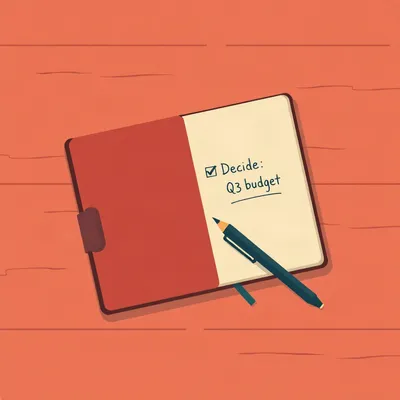
Instead of just saying budget review, you'd say budget review, decision required on the Q three marketing allocation. That tells people before they walk in the room what's expected of them.
Schwarz's point, which I think is still underappreciated, is that when you don't label the goal of each item, people default to different assumptions. Half the room thinks they're being asked to approve something. The other half thinks it's just an informational update. And you get that awkward moment where someone says, wait, are we actually deciding this right now? And the meeting derails.
I've been in that meeting.
We all have. And the fix is embarrassingly simple. You just write the goal next to each item. It takes ten seconds and it transforms the dynamic.
The other thing Daniel mentioned is the distinction between one-off meetings and recurring meetings. And I think the agenda discipline for those is actually quite different. A weekly standup or a recurring project check-in, people get complacent. The agenda becomes a template that nobody revisits. And you end up with meetings where the agenda items are so vague they could apply to any week.
That's a real problem. I've seen teams where the recurring agenda hasn't been updated in six months. The best practice for recurring meetings, and this comes up in a lot of the productivity literature, is that the agenda should be rebuilt at least partially each time. Not from scratch, but the person running the meeting should ask, what's actually different this week? What decision is live right now that wasn't live last week?
That's where I think AI can actually help, because one of the failure modes of recurring meetings is that nobody has time to refresh the agenda. It's Tuesday morning, the meeting's at ten, and you're copying and pasting last week's agenda at nine fifty-three. If you could dictate thirty seconds of context and have an assistant spin up a refreshed version, that actually changes the behavior.
Let's talk about that AI workflow, because I think what Daniel's describing is genuinely practical. He's not talking about some autonomous agent that schedules meetings and negotiates times and sends invites on his behalf. He's talking about a very contained pipeline. You dictate your rough thoughts, the system generates multiple views, and those views go to different destinations. Calendar invite, email to the other party, CRM entry. That's not science fiction. That's something you can build today with off-the-shelf tools.
The quality of the output depends entirely on the quality of the input. If you mumble thirty seconds of half-formed thoughts into your phone, you're going to get a half-formed agenda. The AI can reformat and sanitize and structure, but it can't invent the strategic thinking you didn't do.
So let's talk about what good source material looks like. When you're dictating your pre-meeting thoughts, what should you actually be saying? I think there are four things you need to capture. First, the purpose. Why is this meeting happening at all? If you can't answer that in one sentence, you probably shouldn't be having the meeting. Second, the desired outcomes. What do you want to walk out of the room with? A signed contract? A list of action items? Alignment on a timeline? Third, the key questions you need answered. And fourth, any context the other party needs to have before the meeting starts.
That fourth one is interesting because it connects to something Daniel mentioned. The sanitized version. When you're preparing an agenda to circulate, you're not just listing topics. You're framing the conversation. You're setting expectations. You're subtly signaling what you care about and what you don't. A well-crafted agenda is a negotiation tool before the negotiation even starts.
That's a really sharp point. And it's something diplomats understand instinctively. When the State Department sends an agenda ahead of a bilateral meeting, every word is chosen. The order of items matters. What's included and what's excluded sends a signal. If you put human rights before trade, that's a message. If you put trade before human rights, that's a different message.
Most business people don't think about their agenda that way at all. They just brain-dump whatever comes to mind in the order it occurs to them. Which is fine for an internal team meeting, maybe. But if you're meeting with a client, a partner, a vendor, the agenda is part of your positioning.
Let me pull on that thread a bit, because I think the diplomatic parallel is really instructive. When you read those WikiLeaks cables, which is what got Daniel thinking about this in the first place, you see a very specific structure. The diplomat describes the meeting, the participants, the key points raised by each side, and then offers what they call a comment. That comment section is where the analysis lives. It's the diplomat saying, here's what I think is really going on beneath the surface. Here's what the other side's body language suggested. Here's what they didn't say.
That's exactly the kind of thing you'd want in your personal prep notes but would never put in the circulated agenda. The circulated agenda says, discuss partnership terms. The personal notes say, they're going to push for exclusivity, we need to hold the line on that, and by the way their CFO seemed uncomfortable when we mentioned pricing last time, dig into that.
This is where the multi-output workflow Daniel described becomes so powerful. You capture all of that in one brain dump. The raw, unfiltered version. Your fears, your suspicions, your strategic priorities, the questions you're nervous about. Then the AI splits it. One version gets sanitized into a professional agenda for the other party. One version stays as your personal briefing document. And one version extracts the factual bits, participant names, company details, key commitments, and pipes that into your CRM.
Three documents, one input. That's the promise. But let me play skeptic for a second. The risk here is that people get lazy about the sanitization step. You dictate your raw thoughts, you trust the AI to strip out the sensitive stuff, and you don't actually review the output before it goes out. And suddenly you've sent your client an agenda that includes the line, figure out if their budget is real or if they're bluffing.
That's a genuine risk. And the safeguard has to be a human review step that you never skip. It's the same principle we talked about with meeting notes. AI can do the heavy lifting, but the human has to be the final gatekeeper. The workflow shouldn't be dictate and send. It should be dictate, review, approve, send. And that review step should be treated as non-negotiable.
I think that's right. The people who get the most value out of AI-assisted workflows are the ones who treat the AI as a junior colleague. It does the first draft, it does the formatting, it does the grunt work. But you still have to exercise judgment. The AI can't decide whether putting pricing before scope of work is the right move for this particular client. You have to know that.
Let's talk about the actual structure of a good agenda, because I think there's a craft to it that most people never learn. The Asana guide on this, which I thought was quite good, breaks it down into a few key elements. You've got the meeting title, which should be specific enough that someone reading it six months later knows what was discussed. You've got the date, time, location, or video link. You've got the list of participants and their roles. You've got the objectives. And then you've got the agenda items themselves, each with a time allocation and an owner.
The time allocation part is underrated. Most agendas just list items. They don't say how long each item gets. And what happens is the first item takes forty minutes, and then you rush through the remaining five items in the last ten minutes. And everyone leaves frustrated.
Parkinson's Law in action. Work expands to fill the time available. If you don't put guardrails on each agenda item, the conversation will naturally drift. And the person running the meeting has no leverage to move things along because there's no shared understanding of how long each topic should take.
The owner part is also critical. Each agenda item should have someone who's responsible for leading that section of the conversation. It's not just the meeting organizer doing all the talking. If the agenda says budget review, and it's owned by Sarah, everyone knows Sarah is going to present the numbers, Sarah is going to frame the decision, and Sarah is going to keep that section on track.
That does something else that's psychologically important. It distributes engagement. If I know I'm leading the discussion on item three, I'm going to show up prepared. I'm not just going to sit there passively and wait for my turn to speak.
That's the flip side of the problem we discussed in the notes episode. The concern that when everything is transcribed, people become less engaged because they know they can just read the transcript later. The same dynamic applies to agendas. If the agenda is just a list of topics with no ownership, no time limits, no clear goals, people show up expecting to be entertained. They're spectators. But if they own a piece of the agenda, they're participants.
That's a great segue into something I wanted to bring up about the State Department's approach to contemporaneous notes. We mentioned last time that they recommend a window of about fifteen minutes to twenty-four hours for writing up notes after a meeting, while memory is fresh. But what's interesting is that the same principle applies before the meeting. The best time to write your agenda is not three days in advance when you're in a completely different headspace. It's close enough to the meeting that the context is fresh in your mind, but far enough out that you have time to circulate it.
What's the sweet spot there, do you think?
I'd say twenty-four hours before is ideal for most meetings. It gives the other party enough time to review and prepare, but it's close enough that you're still thinking about the meeting in concrete terms. If you send an agenda a week in advance, people forget it. If you send it ten minutes before, they don't have time to prepare. Twenty-four hours is the Goldilocks zone.
That's another place where AI can help, because one of the reasons people don't send agendas in advance is that they don't have time to write them until the last minute. If you can dictate your thoughts the night before and have a polished agenda ready to send in five minutes, you're much more likely to actually hit that twenty-four hour window.
Let's get concrete about the AI workflow, because I think some listeners are probably wondering what this actually looks like in practice. Daniel mentioned dictation as the input method, and I think that's key. Typing out your pre-meeting thoughts is slow and you self-edit as you go. Dictation is faster and more natural. You just talk through what's on your mind.
I've experimented with this. The quality of the raw dictation matters a lot. If you just ramble, you get a rambling agenda. But if you give the dictation a little bit of structure, even informally, the output is dramatically better. Something like, meeting with Acme Corp tomorrow at two, purpose is to finalize the contract terms, key issues are pricing and the implementation timeline, I need to understand why their legal team is dragging on the liability clause, the agenda I want to circulate should start with a quick recap of where we are, then move to pricing, then timeline, then next steps.
That's a great example. And notice what you just did there. You included the purpose, the key issues, the questions you need answered, and you even specified the order you want for the circulated version. That's maybe forty-five seconds of talking. And from that, a decent AI assistant could generate a polished agenda, a set of personal prep notes, and a CRM summary.
The personal prep notes are the interesting part for me. Because in that dictation, I mentioned the liability clause issue. That's not something I'd put in the circulated agenda. The circulated version would just say, review contract terms. But my personal notes should say, their legal team is stalling on liability, push for clarity, if they won't budge we need to escalate internally.
That's exactly the kind of candid observation that shows up in diplomatic cables but never in the official readout. The official readout says, the two sides discussed outstanding contract provisions and agreed to continue negotiations. The cable says, their legal counsel seemed unprepared and deflected repeatedly when pressed on the liability language. Recommend we prepare a final offer with a hard deadline to force the issue.
I love that. So let's talk about the sanitization step. How does the AI know what to strip out and what to keep? Because that's not a simple formatting task. That requires judgment.
And I think the way to handle this is through explicit instructions in the prompt. You tell the AI, here's my raw dictation, now create three outputs. Output one is a professional agenda suitable for sharing with the other party. Strip out any internal strategy, any speculation about their motives, any candid assessments of individuals. Keep it factual, forward-looking, collaborative in tone. Output two is my personal briefing document. Keep all the candid stuff, organize it by topic, flag the questions I need to ask and the traps I need to avoid. Output three is a CRM entry. Extract names, company names, dates, key commitments made, and format it for a contact record.
You'd want to save that prompt as a template so you're not rewriting it every time. That's the agentic part. It's not that the AI is autonomous. It's that you've defined a repeatable workflow with clear instructions, and you trigger it with a single action.
And this is where I think the term agentic gets overhyped. People imagine an AI that's out there negotiating on their behalf, booking meetings, making decisions. That's not what we're talking about. We're talking about a defined pipeline. Input goes in, transformations happen, outputs come out. It's agentic in the sense that it's a multi-step process, but the human is firmly in control at every stage.
The value is real even though it's not flashy. I think about the solo contractor Daniel mentioned. Someone who's juggling multiple clients, doesn't have an assistant, doesn't have a team. The difference between showing up to a client meeting with a polished agenda versus showing up and winging it, that's the difference between looking professional and looking scattered. And when you're a solo contractor, looking professional is how you justify your rates.
There's research on this, actually. Meetings with a clear agenda and clear objectives are consistently rated as more productive and more satisfying by participants. And the flip side is also true. Meetings without agendas are the ones people complain about. The this could have been an email meetings. And often, the only reason it wasn't an email is that nobody took ten minutes to write an agenda.
If someone's listening and they want to start doing this, what's the minimum viable workflow? They're not going to build a whole agentic pipeline tomorrow. What can they do today?
I'd say start with three things. First, for every meeting you organize, write down the purpose in one sentence before you do anything else. If you can't articulate the purpose, cancel the meeting. Second, label each agenda item with its goal. Decision, discussion, or information. Third, assign a time limit and an owner to each item. Those three things alone will put you in the top ten percent of meeting organizers.
That's the manual version. And then the AI layer comes on top. Once you've got the discipline of thinking in terms of purpose, goals, and structure, you can start dictating your thoughts and letting the AI handle the formatting. But you have to build the mental habit first. The AI can't give you the habit.
I think that's the most important thing we can say in this episode. The technology is an amplifier. It makes good practices better and bad practices worse. If you have sloppy thinking about meetings, an AI agenda generator is just going to produce sloppy agendas faster. But if you've internalized the principles, if you know what a good agenda looks like and why it works, then the AI becomes a force multiplier.
Let's dig into the structure of agenda items a bit more, because I think there's a nuance here that's easy to miss. An agenda item isn't just a topic plus a goal. It should also include any pre-reading or preparation that's expected. If you want people to come to the meeting having already reviewed a document, you need to say so in the agenda and you need to attach the document. Springing it on them in the meeting is a recipe for wasted time.
Oh, this drives me crazy. The meeting where someone shares their screen and says, let me pull up the deck, and then everyone reads silently for ten minutes. That's not a meeting. That's a study hall. The agenda should make it clear what people need to review in advance, and the meeting should start from the assumption that everyone has done the reading.
Jeff Bezos had that famous practice at Amazon. The six-page memo read silently at the start of the meeting. Which is interesting because it inverts the normal expectation. Instead of expecting people to prepare in advance, you build the preparation time into the meeting itself. I'm not sure that's the right model for every organization, but it does solve the problem of people showing up unprepared.
It's an acknowledgment that people are busy and they won't always do the pre-reading. So you force the issue by making it part of the meeting. But that only works if the meeting is long enough to accommodate it. For a thirty-minute meeting, you can't spend ten minutes reading silently. You need people to show up ready.
The agenda has to signal what's expected. If there's pre-reading, say so. If there's no pre-reading, say that too. People appreciate knowing whether they need to block out prep time or whether they can just show up.
Another thing about agenda items. They should be framed as questions wherever possible. Not update on project status. But are we on track to hit the June deadline, and if not, what needs to change? The question format forces clarity about what we're actually trying to resolve.
That's a good heuristic. If you can't turn your agenda item into a question, you probably haven't thought hard enough about what you want from the discussion.
This is another place where AI can help in the drafting process. You can say to the AI, here are my rough topics, turn each one into a specific question that needs to be answered. The AI is good at that kind of reframing. It won't always get the question right, but it gives you a starting point that you can refine.
Let me ask you something. What's the biggest mistake you see people make with agendas? The thing that even reasonably competent professionals get wrong?
I think it's overstuffing. People try to cram too many items into too little time. They look at a sixty-minute meeting and they list eight agenda items. That's seven and a half minutes per item, assuming no transitions, no introductions, no tangents. In reality, you can cover maybe three or four substantive items in an hour if you want any depth at all.
The temptation is to list everything because you want to feel productive. Look at this packed agenda, we're going to get so much done. But what actually happens is you skim the surface of everything and resolve nothing.
The Asana guide I mentioned has a good rule of thumb. For a sixty-minute meeting, aim for three to five agenda items max. If you have more than that, either extend the meeting or prioritize. And be ruthless about prioritization. What absolutely must be discussed? What could be handled over email? What could be deferred to next week?
That's where the purpose statement becomes your filter. If an agenda item doesn't directly serve the purpose of the meeting, cut it. It doesn't matter how interesting it is or how much someone wants to talk about it. If it doesn't advance the meeting's objective, it's a distraction.
This connects back to the AI workflow Daniel described. When you dictate your raw thoughts, you might mention eight or ten things you want to cover. The AI's job in creating the circulated agenda is to help you prioritize. It can say, you mentioned eight topics, but based on your stated purpose of finalizing the contract, these four are directly relevant and these four could be handled separately. Here's a suggested agenda with the four priority items.
That's a good example of AI adding value beyond just formatting. It's applying a prioritization lens. But again, you need to review that output. The AI might deprioritize something that's actually critical for a reason it doesn't understand. Maybe the fifth item seems unrelated to the contract, but you know that the client's CEO cares about it deeply and you need to address it to build goodwill. The AI doesn't know that.
The AI is operating on the information you gave it. It doesn't have the full context of your relationship with the client, your organization's internal politics, your strategic priorities. That's why the human review step is essential. The AI proposes, the human disposes.
Let's talk about the CRM integration piece, because I think that's the part of Daniel's workflow that's easy to overlook but potentially very valuable. After a meeting, you're supposed to log notes in your CRM. Who attended, what was discussed, what the next steps are. Most people don't do it, or they do it days later and forget half of what was said. If the AI can extract that information from your pre-meeting dictation and your post-meeting notes, you get a CRM entry with basically zero additional effort.
It's not just about saving time. It's about creating an institutional memory. If you're a solo contractor and you've been meeting with a client for six months, you should be able to look back at your CRM and see the full history of your interactions. What you pitched, what they pushed back on, what commitments were made. That's incredibly valuable when you're preparing for the next meeting.
It also helps with the personalization piece. If your CRM tells you that last time you met, the client mentioned their kid was applying to college, you can ask about that. It sounds small, but it builds relationships. And the AI can surface that kind of detail from your notes without you having to manually comb through old records.
Let's synthesize this into a practical framework. If you're preparing for a meeting and you want to use AI to help, here's the workflow. Step one, dictate your raw thoughts. Include the purpose, the desired outcomes, the key questions, the context, your candid assessments, and anything you want to remember to ask or say. Step two, feed that dictation to your AI assistant with a prompt that generates three outputs. A circulated agenda, personal prep notes, and a CRM summary. Step three, review all three outputs. Edit the circulated agenda for tone and accuracy. Make sure nothing sensitive leaked through. Step four, send the agenda to the other party at least twenty-four hours in advance. Step five, use your personal prep notes to brief yourself before the meeting. And step six, after the meeting, update the CRM entry with what actually happened.
That's a solid workflow. And the beauty of it is that each step is simple. None of this requires advanced technical skills. It's dictation plus a prompt template plus a review step. The barrier to entry is basically zero.
If you want to get more sophisticated over time, you can. You can start connecting these outputs to other systems. Your calendar can automatically pull the agenda into the event description. Your CRM can trigger follow-up reminders based on the commitments extracted from your notes. Your project management tool can create tasks from the action items. But you don't need any of that to get started. The core workflow works with just a notes app and an AI assistant.
I think the other thing worth emphasizing is that this workflow forces you to do the thinking. That's the hidden benefit. When you know you're going to dictate your pre-meeting thoughts, you actually have to sit down and think about the meeting. What do I want? What am I worried about? What questions do I need answered? That reflection time is valuable even if you never used the AI outputs at all.
The process is the product, in a sense. The act of articulating your thoughts is what clarifies them. The AI is just capturing and structuring what you've already figured out.
Alright, let me throw a curveball at you. What about meetings where you're not the organizer? You're an attendee, and the organizer hasn't sent an agenda. Is there a version of this workflow that works from the attendee side?
I think the answer is yes, with some modifications. As an attendee, you can still do your own pre-meeting prep. You can dictate your thoughts about what you want to get out of the meeting, what questions you have, what you want to avoid saying. The AI can turn that into a personal briefing document, even if there's no circulated agenda to work from.
You could also use it to prepare questions you want to ask. If the meeting is about a topic you're not fully up to speed on, you can dictate what you know and ask the AI to identify gaps in your understanding and suggest questions that would fill those gaps.
That's actually a really powerful use case. I've done something similar when I'm going into a meeting where I'm not the expert. I'll spend five minutes talking through what I know, what I don't know, and what I'm trying to learn. The AI helps me organize my thoughts and often surfaces questions I wouldn't have thought to ask.
There's a social benefit too. When you show up to a meeting with thoughtful questions, even if you're not the expert, people notice. It signals engagement and preparation. It makes you someone people want to have in the room.
The attendee-side workflow is underrated. Most productivity advice focuses on the meeting organizer, because they have the most control. But attendees can do a lot to make meetings better, and one of the simplest things is showing up with clear questions and clear objectives.
If you get a calendar invite with no agenda, instead of just accepting and hoping for the best, you can spend three minutes dictating your own mini-agenda. What do I want from this meeting? What do I need to prepare? What questions should I ask? It's not as good as having a proper circulated agenda, but it's a lot better than walking in cold.
Sometimes, if you do this and share your questions with the organizer ahead of time, it prompts them to actually put together an agenda. They realize, oh, people are expecting structure, maybe I should provide some.
Let's circle back to something Daniel mentioned that I want to make sure we address. He talked about the agenda getting stuffed into a calendar invitation. And I think that's a best practice that's worth calling out explicitly. The agenda shouldn't be a separate document that people have to hunt for. It should be right there in the calendar event. When someone opens the invite, they see the agenda immediately.
The friction of finding the agenda is enough to make some people not read it. If it's in the calendar invite, it's unavoidable. And most calendar tools support rich text in the event description, so you can format it properly with headers and bullet points.
If you're using the AI workflow, you can ask it to output the agenda in a format that's ready to paste into Google Calendar or Outlook. Plain text with clear section breaks. Copy, paste, done.
The other thing about calendar integration. If the agenda is in the calendar event, it's searchable later. Six months from now, you can search your calendar for that meeting with Acme Corp and instantly see what was on the agenda. That's surprisingly useful for reconstructing timelines and remembering what was discussed when.
Alright, let's talk about some edge cases. What about very short meetings? Fifteen-minute check-ins. Do you need an agenda for those?
I'd say yes, but a very minimal one. For a fifteen-minute meeting, the agenda might be three bullet points. What's the one decision we need to make? What's the one update I need to share? What's the one blocker I need help with? It takes thirty seconds to write, and it turns a rambling check-in into a focused conversation.
The time limit per item becomes even more important in a short meeting. If you have fifteen minutes and three items, that's five minutes per item. You have to be disciplined about moving on when time is up.
The other edge case is the meeting that's purely social or relationship-building. Do you send an agenda for a coffee chat? Probably not a formal one. But even then, having a mental agenda is useful. Who is this person? What do I want to learn about them? What do I want them to know about me? You don't circulate that, but you prepare it for yourself.
That's the personal prep notes use case again. Even for informal conversations, a little bit of preparation goes a long way. And the AI can help you organize your thoughts without creating a formal document.
Let's talk about one more thing before we start to wrap up. The role of agendas in async communication. More and more teams are moving toward asynchronous workflows, especially with distributed teams across time zones. The meeting is being replaced by the written update. And in that context, the agenda and the meeting notes start to merge. You're essentially writing a document that serves as both the pre-read and the decision record.
In an async world, the agenda becomes even more important because there is no meeting to course-correct in real time. If your written update is unclear, people just misunderstand it and move on. There's no opportunity to say, wait, let me clarify.
The AI workflow adapts well to this. Instead of generating an agenda for a meeting, you're generating a discussion document for async review. The same principles apply. Clear purpose, specific questions, desired outcomes. You're just packaging it for reading rather than for discussion.
The multi-output thing still works too. You write your raw thoughts, the AI generates a polished discussion document for the team, plus your personal notes on what you're trying to achieve, plus a summary for whatever system you use to track decisions.
I think the async use case is going to become more common over time. The traditional meeting is not going away, but it's being supplemented and sometimes replaced by written communication. And the skills of writing a good agenda transfer directly to writing a good async update.
If there's one thing we want listeners to take away from this episode, what would you say it is?
I'd say it's this. The agenda is not a formality. It's a strategic tool. It shapes the conversation before the conversation starts. And with AI, you can create better agendas with less effort, including multiple versions for different audiences. But the technology only helps if you've internalized the principles. Know your purpose. Label your goals. Set time limits. Frame items as questions. And always, always review the AI's output before you send it.
That's a good summary. And I'd add that the habit of pre-meeting reflection is valuable even without the AI. Taking five minutes to think about what you want from a meeting is one of the highest-return investments you can make in your workday. The AI just makes it easier to capture and structure that thinking.
Now, Hilbert's daily fun fact.
Hilbert: The largest traditional soapstone cooking pot ever documented in Nunavut was carved in the eighteen-forties and weighed over four hundred pounds. It was used by Inuit families to render seal blubber into oil, and the carving process alone took an estimated six months using hand tools made from bone and antler.
Four hundred pounds of soapstone. That's not a pot, that's a geological feature.
I have so many questions about the logistics of moving that thing. But I suspect Hilbert doesn't have answers.
Hilbert never has answers. That's part of his charm.
One thought to leave you with. The best agendas don't just structure a meeting. They reveal whether the meeting should exist at all. If you can't articulate a clear purpose and clear outcomes, maybe that calendar invite should be a delete button instead. Thanks to our producer Hilbert Flumingtop. This has been My Weird Prompts. Find us at myweirdprompts.com or wherever you get your podcasts.
See you next time.