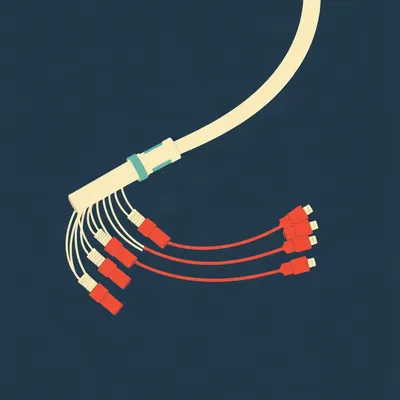
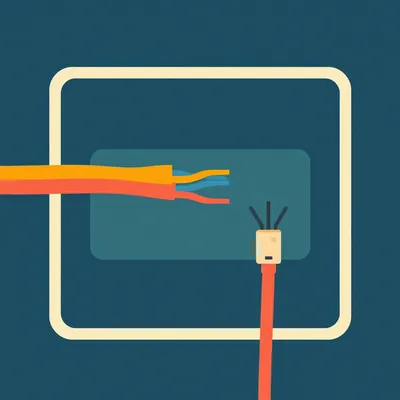
There's a particular kind of silence when fiber dies. No modem to power-cycle. No line-sync light blinking its little code at you. Just a dark box on the wall and a phone call you don't want to make.

And no amount of unplugging it and plugging it back in changes anything, which is deeply unsatisfying for anyone who grew up on copper.
Which is exactly what Daniel's been poking at. He wrote in with a whole thing about GPON, the passive optical network that's the basic plumbing behind fiber-to-the-home in a lot of Israel. His point is that it's more complicated than DSL or coax, but that doesn't mean the consumer is helpless. He wants to know what you can actually check before you pick up the phone. He asked about optical line testers, the little meters that tell you whether the line is live, and he flagged something sharp: sometimes there are different variants depending on the frequency of fiber you've got, so the tester has to match. Then fiber optic cleaning pens. And the core question underneath all of it, what can a person do at their own ONT, before calling the ISP, to see if that fiber connection has an uplink at all.
That's a good framing, because the answer splits cleanly in two. There's the architecture, which explains why your options look the way they do, and then there's the actual hands-on stuff.
So let's start with what GPON actually is. Because the architecture is the whole reason the diagnostics look so strange.
GPON. Gigabit Passive Optical Network. It's defined by the ITU-T G.984 series of standards, first ratified back in two thousand three, and it's the dominant last-mile architecture for fiber-to-the-premises. Three pieces. The OLT, Optical Line Terminal, sits in the provider's central office. Then there are passive optical splitters out in the field. And then the ONT, the Optical Network Terminal, which is that box on your wall. Some people call it an ONU, Optical Network Unit. Same thing in practice.
It's the whole design. Between the central office and your home, there's no powered electronics. The splitters are just glass and mirrors, effectively. They need no electricity. That's why a PON is cheap to run and why it survives a power cut in the neighborhood better than an active Ethernet setup would.
One thing worth saying plainly, since Daniel framed it as the basic technology in much of Israel. That's plausible. It matches what you'd expect from the build-out. But I couldn't confirm it from anything solid, so treat it as context, not established fact. If you're in Israel on fiber, the odds are decent you're on a PON of some kind, but I'm not going to assert the specifics.
Fair. And the mechanism is what matters here anyway, because it's identical whether you're in Tel Aviv or Toledo.
So walk me through the mechanism, because I think the split between downstream and upstream is where people's intuition breaks.
Downstream is broadcast. The OLT sends data out to every ONT on the splitter, all at once. Your ONT picks out the frames addressed to it and ignores the rest. Upstream is the opposite problem. You've got up to a hundred and twenty-eight ONTs on one link, all wanting to talk back, all sharing the same glass. If they just transmitted whenever they felt like it, they'd collide into garbage.
So they take turns.
They take turns, and the discipline is tight. It's TDMA, time-division multiple access. The OLT distributes timing every hundred and twenty-five microseconds, and each ONU aligns its upstream transmission to an assigned time slot. Miss your slot and your data waits for the next frame. That's the mechanism that keeps a shared fiber from turning into a shouting match.
A hundred and twenty-five microseconds. That's eight thousand frames a second, roughly.
Yeah. Which tells you how precisely the timing has to hold. The ONTs are ranging constantly, measuring round-trip delay, so their slots stay aligned as temperature and distance shift.
What are the actual rates?
GPON supports shared downstream up to two point four gigabits per second and upstream up to one point two, shared among all those ONTs. The Fiber Optic Association lists the typical bitrates as one fifty-five, six twenty-two megabits, one point two and two point five gigabit. And the split ratios vary by source. The FOA table says GPON splits up to sixty-four. Wikipedia says up to a hundred and twenty-eight. Either way, you're sharing.
Which is the thing most people get wrong about fiber. They think it's a dedicated pipe to their house.
It is not. And that has a security consequence that's interesting. Because downstream is broadcast to everyone on the splitter, the traffic has to be encrypted. AES, so only the intended recipient can read the message. On a dedicated copper pair, you don't need that in the same way. The shared architecture forces it.
And the security literature on GPON flags more than that.
It does. Eavesdropping on upstream traffic is a known concern, replay attacks, the PLOAM messages that manage the link aren't integrity protected, and there's the possibility of denial of service against other subscribers on the same link. None of that is exotic. It's the natural consequence of a shared medium.
Single fiber, both directions. How?
Wavelength-division multiplexing. Downstream rides at fourteen ninety nanometers, upstream at thirteen ten, and there's an optional fifteen fifty wavelength for RF video. Three lanes of light on one strand of glass, going opposite directions.
And that fact is going to matter enormously when we get to the testers.
It's the whole reason the testers are wavelength-specific. Hold that thought.
Let me hold it. What's the physical plant?
Typically OS2 singlemode cable with SC/APC connectors. The angled physical contact connector, green boots usually. The angle on the ferrule reduces back-reflection, which matters when you're pushing light long distances.
Now the comparison, because Daniel specifically asked how this stacks up against DSL and coax.
DSL runs over twisted-pair telephone lines. Copper that was never designed for this. And it degrades with distance in a way that's brutal. ADSL suffers severe signal loss beyond three kilometers. That's the wall. Meanwhile a fiber customer can get high-speed access within a sixteen-kilometer range of a fiber central office. Five times the reach, roughly, and that's before you talk about bandwidth.
Why does copper fall off so fast?
Attenuation and crosstalk. Attenuation grows exponentially with line length and logarithmically with frequency. So the higher the frequency you push, the faster the signal dies, and the longer the line, the worse it gets. Crosstalk depends on frequency, signal power, and how many pairs in the bundle are active. Every neighbor's line is noise in yours.
Coax, then.
Coax, HFC, DOCSIS. The big structural difference is asymmetry. Download speeds are generally much higher than upload. The FOA is blunt about it, they call it the biggest problem with DOCSIS HFC networks, and they note it can be a problem for applications like video distribution and gaming. If you're uploading, you're the poor relation on a coax plant.
And upgrading it isn't a firmware push.
Upgrading to DOCSIS three point one or four point oh requires major physical changes to the coax plant. You're not just swapping a box in the head end. Whereas fiber has the intrinsic advantages baked in. Greater upstream and downstream bandwidth, longer distances with less active equipment, and immunity to electromagnetic interference.
That last one is underrated. Copper picks up everything.
Everything. Motors, fluorescent ballasts, a badly grounded appliance. Glass doesn't care.
What about the economics? Because the reason PON won isn't purely technical.
It's mostly economic, honestly. The FOA cites up to fifty percent lower capital expense and eighty percent lower operating expense versus point-to-point links. And the reason is simple. One set of electronics and one expensive laser in the central office is shared among up to thirty-two homes. In a point-to-point build, you'd need a laser per subscriber. The passive splitter is doing the work that a powered switch would otherwise do, and it does it for free, forever.
So the cheapness and the robustness come from the same fact. Nothing out there needs power.
Exactly the same fact. And that's the setup for the consumer problem, because that same passivity is why there's no modem to reboot.
That's the architecture. Now here's the part Daniel actually asked about. What can you, the person with a dark ONT, actually check before you pick up the phone?
Start with the honest version. On DSL, you had a modem with a sync light. If the light was out, you knew the line was dead, and you could tell the ISP that with confidence. On coax, the modem would tell you whether it had locked onto the downstream channel. On GPON, there's no equivalent handshake you can watch. The ONT either has optical power arriving or it doesn't, and the only way to know is to measure it.
So the consumer's leverage is optical, not software.
It's optical. There's no command you can type that fixes a dirty connector or a broken drop cable. Which is why the tools Daniel named are the right tools.
Optical line testers. PON power meters.
A PON power meter is the instrument for checking whether the connection is live. And the clever part is that it measures upstream and downstream simultaneously, at any point in a live PON, without disrupting service. You're not taking the customer offline to test. You're reading the light that's already there.
Give me a concrete one.
The FLUXNET FPM-400. About three hundred and forty-nine Australian dollars. It measures thirteen ten nanometers from minus forty to plus ten dBm, fourteen ninety from minus forty-five to plus ten, and fifteen fifty from minus forty-five to plus twenty-three. Accuracy is plus or minus half a dB, resolution point oh one dB. It supports burst mode for that upstream thirteen ten signal, which matters because upstream is bursty by design, it's not a continuous carrier. And it does pass-fail analysis with adjustable thresholds.
So you set your threshold, and it tells you good or bad.
Right. And the higher-end units go further. The VIAVI SmartClass Fiber OLP-87, the Heynen FX81 and FX81T. Those handle B, E and G-PON plus the next-gen stuff, XG-PON, XGS-PON, ten-gig EPON, twenty-five-gig PON, NG-PON2. Pass-through designs that measure multiple downstream and upstream signals at once.
Which brings us to the wavelength point Daniel flagged. Why the variants exist.
This is the trap. GPON uses thirteen ten and fourteen ninety. XG-PON shifts to roughly fifteen seventy-five to fifteen eighty downstream and twelve sixty to twelve eighty upstream. NG-PON2 goes to about fifteen ninety-six to sixteen oh three down and fifteen twenty-four to fifteen forty-four up. The wavelengths move.
So a meter built only for GPON wavelengths reads the wrong thing on a next-gen line.
It doesn't just read wrong. It can read nothing, or read a number that means something else entirely, because the filter inside the meter is looking at a band where there's no signal. You'd conclude the line is dead when it's fine. That's the concrete reason the variants matter. Match the meter to the deployed PON.
How does a consumer know which one they're on?
Honestly, most don't, and that's a real gap. The best you can do is ask the ISP, or look at what the ONT model supports. But the point stands. Buying a cheap GPON-only meter is a gamble if your provider has moved to XGS-PON.
What about the power budget? You mentioned thresholds.
GPON defines attenuation classes. Class A is five to twenty dB of allowable loss, up through Class B at ten to twenty-five, B-plus thirteen to twenty-eight, C fifteen to thirty, C-plus seventeen to thirty-two, and Class D at twenty to thirty-five dB. That's the loss budget between the OLT and your ONU. Typical OLT transmit power is around zero to plus six dBm, and the ONT transmits around minus four to plus two.
So if your meter reads minus thirty on the downstream, you're near the edge.
You're in trouble. You're at the ragged end of the budget, and any marginal connector or a slightly bent fiber will push you over.
Now the cleaning pens. Which is the part that sounds trivial and isn't.
It's the least glamorous tool in the kit and probably the one that fixes the most calls. Microscopic contamination, dust, skin oils, particulates, degrades signal quality, increases latency, and causes outright failures. A speck of dust on a ferrule end-face is enormous relative to the nine-micron core of singlemode fiber. You're blocking a meaningful fraction of the light with something you can't see.
How do the one-click cleaners actually work?
You insert the tool into an adapter and push until you hear an audible click. The mechanical push action rotates the tip while advancing optical-grade cleaning tape across the ferrule end-face. Fresh tape every time, so you're not smearing the same contamination around.
And the connector size matters.
It does. One point two five millimeter cleaners fit LC and MU connectors. Two point five millimeter cleaners fit SC, FC, ST, E2000 and OptiTap. GPON's SC/APC connectors take the two point five millimeter tool. Get the wrong size and you're cleaning air.
Best practice?
Clean both ends of a connector pair. Start with the bulkhead, then the patch cord. Click once. And this is the counterintuitive part, avoid extra clicks. Too many clicks generate static, and static attracts more dust. You're making it worse by trying harder.
Click once. Understood.
For heavy or oily contamination, when a few dry clicks don't clear it, you go to a wet-to-dry method. Cleaning fluid plus wipes. And you inspect with a scope after every clean, because you can't see the contamination you're trying to remove with the naked eye. The tools last over a thousand cleans per unit, and refillable cartridges cut waste and save about twenty percent.
So a sub-thirty-dollar tool versus a truck roll.
That's the trade. And here's the line that should be on a poster in every ISP's support center. Every fiber connection must be cleaned and inspected, even brand-new ones. Brand-new out of the bag is not clean. It's been in a bag.
Now the ONT itself. The LEDs.
Here I have to be honest about what I don't have. I couldn't find a proper consumer-oriented walkthrough of ONT LED states. There's no well-sourced guide I can point to that says the LOS light means this, the PON light means that, the ACT light means the other thing. The professional tools and the standards are well documented. The consumer-facing layer is not.
So we can speak to it from general knowledge with a caveat.
With a caveat, yes. Broadly, ONTs have a power light, a PON or link light that indicates the optical link is established, an LOS light for loss of signal, and activity lights for the data. LOS lit usually means no light arriving, which points at the fiber itself, a break, a disconnected connector, a dirty end-face. PON lit and LOS dark usually means the optical layer is fine and the problem is upstream or in provisioning. But I'd want to verify the exact semantics per model before anyone treats that as gospel.
And the visual fault locator? The red laser.
Named in the prompt, and I couldn't source it properly in this run. Treat it as unverified here. The concept is real, you inject visible red light and look for where it escapes at a sharp bend or a break. But I'm not going to dress it up as more than that.
So the honest map is this. The architecture and the professional tools are well documented. The consumer walkthrough is thinner than it should be.
Which is itself the finding. The industry has spent twenty years documenting this for technicians and almost none documenting it for the person whose living room the ONT is in.
The thing that keeps striking me is that the cleaning pen is a twenty-dollar object standing between you and a hundred-dollar service call.
And it's also the object most likely to be the problem itself.
What do you mean?
The pen gets contaminated. You leave it in a dusty van, or on a shelf in a garage, and the tape cassette inside is now dispensing dust onto the ferrule instead of removing it. The tool you're trusting is the fault.
That's a good point and it's not in any of the documentation I read.
The click once rule assumes a clean pen. Nobody writes the second half.
I had a stint doing fiber pulls and splices for a small outfit, years back. Not the central office side. The muddy trench and splice van side. And I watched a crew lose an entire day to a dirty connector.
A whole day.
They'd pulled the drop, terminated it, tested, dead. Re-terminated, dead. Replaced the pigtail, dead. Went back to the splitter, tested fine. Came back, dead. It was a contaminated end-face on a patch cord that had been sitting in the truck. One click with a clean pen and it lit up. Eight hours of two men, one connector.
What's the correction you want to make?
The click once rule is real. But the thing nobody tells you is the pen itself has to live clean. Keep it capped, keep it out of the dust, replace the cassette when it's done its thousand cleans. A pen that's been riding around in a toolbox for two years is not a diagnostic tool, it's a contamination delivery system.
And the meter?
Same principle. My brother-in-law kept a PON meter in a toolbox, right next to a magnet he used for picking up screws. Couldn't figure out why his readings drifted. The meter's fine, the environment wasn't. These are optical instruments. They don't like heat, they don't like dust, and they don't like being thrown in with a hammer.
So the gap between owning the right tool and getting a trustworthy reading is real.
It's the whole gap. You can buy every tool Daniel named and still get a bad answer, because the tool was abused. The reading is only as good as the instrument's condition, and nobody sells you that part.
I like that. It's the kind of thing that only comes from having actually done the work.
I've got the meter here, actually. It's on the shelf by the desk, plugged into the charger. I use it more than you'd think.
So the tool can be the problem. That's a good place to land. Let's pull this together.
The misconception I want to name, because it's the one that costs people the most time. People assume a fiber fault can be diagnosed the way a DSL fault can. Reboot the router, watch the sync light, call the ISP with a clean story.
The correction is that there is no sync light, and no reboot, and no software fix for an optical problem.
There isn't. The consumer's leverage is optical. A power meter reading and a clean connector. That's the toolkit. Everything else is the ISP's side of the demarcation.
Where does that leave the open questions? The Israel framing is plausible but unconfirmed, and I'd rather say that than pretend. The consumer ONT LED walkthrough is under-documented, and that's worth coming back to.
The wavelength problem gets worse, not better. As XG-PON, NG-PON2 and twenty-five-gig PON roll out, the meters have to keep up. A GPON-only tester will quietly stop giving useful answers, and the consumer won't know it's happening. The advice to just check the light will stop working without anyone announcing it.
Which leaves the thing I keep circling. The passive architecture that makes GPON cheap and robust is the same thing that makes it opaque to the homeowner. No powered electronics to fail, and no powered electronics to give you a hint. And the cheapest fix, a clean connector, is the one most likely to be overlooked, because it doesn't feel like a fix. It feels like housekeeping.
It's the same fact, all the way down.
Thanks to Hilbert Flumingtop for producing. This has been My Weird Prompts, the human-AI collaboration podcast. If you want to get in touch, email us at show at my weird prompts dot com. We'll be back soon.