Daniel sent us this one — he's been watching what Omi's been up to, from those early wearable recorders to the dev kit that basically lets you build your own open-source Plaud, and now they've got this screen processing beta that watches what you're doing and generates task reminders. He's asking how big the ecosystem around this thing has actually gotten, and what it takes to go from ordering the dev kit to having a working voice productivity system. And honestly, the timing is perfect because they just shipped version zero point three of that screen processing beta, and the community crossed two thousand active builders on GitHub.

Two thousand three hundred plus stars on the repo, actually. Forty seven community forks. This thing is moving fast.
Of course you have the exact number.
I looked it up this morning. But here's what makes this moment interesting — Omi started as a wearable recorder in twenty twenty three, the kind of thing you'd clip on and use to capture meetings. Then late twenty twenty four they realized the hardware was commoditized and pivoted hard to being a developer platform. The dev kit shipped in Q one of twenty twenty five, and now the screen processing beta landed in March. Three distinct eras in three years.
The question is whether this is actually a platform play that's found its footing, or just a developer toy with a good press kit. And more practically — if someone listening wants to build their own voice productivity system with a ninety nine dollar dev kit, what does that actually look like?
That's the thing. The dev kit is an ESP thirty two S three board with a MEMS microphone array, Bluetooth LE, and a six axis IMU. It runs FreeRTOS, ships with reference firmware that does real time keyword spotting and audio streaming. For ninety nine dollars, you get full access to the I two S audio bus — you can swap in your own voice activity detection model, your own automatic speech recognition pipeline. This is not a closed appliance. This is a hardware toolkit.
It's the anti-Plaud. Plaud gives you a polished transcription experience but you never touch the raw audio stream or the model pipeline. Omi hands you the keys and says build whatever you want.
And the screen processing thing takes it somewhere completely different from the original recorder vision. The companion app grabs a screenshot every two seconds, runs OCR through Tesseract compiled for ARM, feeds the text to a local LLM — they're using Phi three mini four k instruct running through llama dot cpp — with a prompt that's basically extract any tasks, deadlines, or follow ups from this text. Results go into a local SQLite database and surface as notifications. No cloud round trip. Everything stays on device or on your local server.
You're trading some accuracy for total privacy. Cloud OCR hits around ninety nine percent accuracy, on device Tesseract on complex UIs drops to maybe ninety two percent. That's the bargain.
For a lot of use cases, ninety two percent is plenty. Especially when the alternative is sending screenshots of everything on your monitor to someone else's server every two seconds. I mean, think about what that actually means. Your email, your Slack, your code editor, your bank account if you tab over to check something — all of it getting OCR'd and sent to the cloud. That's a nonstarter for anyone with actual security concerns.
The musical equivalent of a surveillance camera in your own living room.
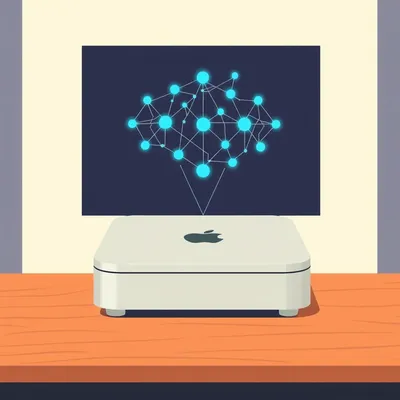
And the local approach means you need some compute. Their reference server spec is a Raspberry Pi five with eight gigs of RAM, which runs about eighty dollars. So your total hardware cost is the ninety nine dollar dev kit plus an eighty dollar Pi — under two hundred dollars for a voice-controlled screen observer that owns its own data.
That's the pitch anyway. The real question is what people are actually building with it, and whether the ecosystem is deep enough to sustain itself. We should dig into that.
Yeah, the Omi Hub has twelve published projects right now. Only three have more than a hundred downloads. But one of them is genuinely impressive — a developer named Sarah Chen built a system that watches her IDE terminal for build errors and auto creates Jira tickets. She published the whole thing in April.
That's the kind of thing that makes you realize we're not talking about a toy. Someone is literally using a ninety nine dollar pendant to watch their code compile and file tickets automatically.
There's a design agency that published a full build guide — their setup listens to client calls, screens the designer's monitor for feedback comments in Figma, and auto generates revision notes in Notion. That's a real production workflow, not a weekend hack.
The ecosystem is small but the projects that exist are punching above their weight. Which brings us back to the core question — if you want to build this, where do you actually start?
The starting point depends on what kind of builder you are. But before we map the path, I think it's worth understanding why Omi even exists as a dev kit in the first place. Because the pivot they made in late twenty twenty four wasn't obvious.
A company realizing its hardware is a commodity and deciding to become a platform instead — that's the kind of pivot that usually happens after a failed product launch, not before one.
That's what makes it interesting. They launched in twenty twenty three as a pendant recorder. Clip it on, capture meetings, get transcripts. Perfectly fine product. But they looked at the landscape and saw that everyone was building the same thing — Plaud, Humane, a dozen other wearable recorders — and the differentiating factor wasn't the hardware. It was the software stack and who controlled the data flow.
Instead of trying to win the consumer gadget war, they turned their product into a reference design and said here, you build the thing you actually want.
The dev kit shipped Q one twenty twenty five with that ESP thirty two S three, the MEMS mic array, the IMU, Bluetooth LE — all the specs we mentioned. But the key decision was exposing the full I two S audio bus. That's not something you do if you're trying to protect a walled garden. That's a platform move.
It's like the difference between selling a smart speaker and selling an Arduino with a really good microphone. One of those has a future as an ecosystem.
Then the screen processing beta in March of this year — that's where the vision expands beyond audio entirely. The original recorder was about capturing what people say. Screen processing is about capturing what you see. Two completely different input modalities, same underlying philosophy: observe, extract, remind.
Omi isn't really a product company anymore. They're a hardware platform with a reference implementation, and the actual products are whatever the community builds on top.
That's the bet. And it's a bet that only works if the developer experience is good enough that people actually build things. The question is whether two thousand GitHub stars and twelve published projects is traction or just curiosity.
Twelve projects, three with meaningful downloads — that's a candle, not a fire. But the Sarah Chen build error to Jira pipeline, the design agency Figma to Notion workflow — those aren't toy projects. Those are people solving real production problems with a ninety nine dollar pendant.
The screen processing is where this gets different from the original recorder vision. A recorder captures audio and gives you a transcript. Useful, but passive. Screen processing watches your actual work surface and extracts intent — deadlines you glanced at in an email, action items someone typed in Slack, a date you hovered over in a calendar. It's not recording what you hear. It's inferring what you need to do.
Which is either the killer feature for a second brain or the creepiest thing a pendant has ever done, depending on how you feel about a local LLM reading your screen every two seconds.
I think the creepiness factor depends entirely on where that data lives. If everything's local, it's weird but it's your weird. Nobody else's server knows you hovered over a dentist appointment for four seconds.
Like having a diary that reads over your shoulder, versus a diary that phones home to a marketing firm.
So let's talk about what's actually inside this thing technically, because the architecture is what makes the local-first approach possible. The dev kit uses the ESP thirty two S three running FreeRTOS. Audio comes in through the MEMS mic array, hits a custom pipeline built on the ESP dash SR library for wake word detection — default wake word is Hey Omi — and then once the wake word triggers, it streams sixteen bit PCM audio at sixteen kilohertz over Bluetooth LE to either the companion app or your local server.
The wake word detection happens on the pendant itself. The heavy lifting happens downstream.
And this is where the I two S audio bus matters. On a closed device like the Plaud NotePin, the raw audio stream never leaves the proprietary pipeline. You get whatever the manufacturer decided to give you. On the Omi dev kit, the I two S bus is fully exposed — you can tap into the raw digital audio before it hits any processing stage. That means you can swap in your own voice activity detection model, your own automatic speech recognition engine. If you want to use Whisper instead of their default, you just point the pipeline at your Whisper instance.
You're not locked into their speech to text quality. If a better model drops tomorrow, you plug it in.
That's the answer to why someone would build on Omi instead of grabbing a generic ESP thirty two dev board. A generic board gives you the chip and the pins. Omi gives you a tuned audio pipeline with hardware that's actually designed for wearable voice capture — the mic array placement, the acoustic housing, the power management for all day battery life. Those are the things that take months to get right on a bare board. The dev kit solves the physical engineering so you can focus on the software.
It's the difference between buying a bag of flour and buying a sourdough starter that someone's been feeding for two years.
And the screen processing side is where the architecture gets clever. The companion app — Android or iOS — takes a screenshot every two seconds. That screenshot goes through Tesseract OCR, but here's the detail that matters: they compiled Tesseract specifically for ARM, which means it runs efficiently on mobile silicon without needing to offload to a server. The extracted text then hits Phi three mini four k instruct running through llama dot cpp, also locally. The prompt is something like extract any tasks, deadlines, or follow ups from this text. Results go into a local SQLite database and surface as system notifications.
Two seconds between screenshots means you're sampling your screen thirty times a minute. That's enough to catch a Slack message or a calendar reminder, but not enough to read a full document in real time.
That sampling rate is actually a design choice, not a limitation. If you sampled faster, battery life tanks. If you sampled slower, you miss things. Two seconds is the sweet spot where you catch enough context without turning your phone into a space heater. The tradeoff, as we mentioned earlier, is accuracy. Cloud OCR with something like Google's Vision API hits around ninety nine percent on clean text. Tesseract on ARM, especially on complex UIs with mixed fonts and backgrounds, drops to about ninety two percent.
One in twelve characters is wrong. That sounds bad until you realize the LLM is there to clean it up. Phi three mini isn't just extracting tasks — it's also error correcting the OCR output based on context.
If Tesseract reads deadline Friday as d e a d l i n e F r i d a y with a garbled character, the LLM sees the surrounding context and fixes it. That's the quiet genius of the pipeline — the OCR doesn't have to be perfect because the language model downstream is doing cleanup. It's a two stage filter.
You're trading raw OCR precision for privacy, but you're buying back some of that precision with the local LLM. The net accuracy gap is probably smaller than the headline numbers suggest.
That's what the Sarah Chen project demonstrates in practice. She built a system that watches her IDE terminal for build errors. Terminal text is monospaced, high contrast, dead simple for OCR — she's probably getting near cloud level accuracy on that specific use case. The system detects a build failure, extracts the error message, and auto creates a Jira ticket with the stack trace in the description. She published the whole thing on the Omi Hub in April.
That's the kind of project that makes you wonder why IDEs don't have this built in. Your editor watches you fail and quietly files the paperwork.
The design agency project takes it even further. They've got Omi listening to client calls through the pendant microphone while simultaneously watching the designer's Figma screen through the screen processing beta. When a client says can we make that button blue and the designer hovers over the button, the system captures both the audio request and the visual context, then generates a revision note in Notion with a screenshot reference.
That's not a productivity tool. That's a second employee who works for ninety nine dollars and never asks for a raise.
Both of these projects are possible because Omi exposes the full pipeline. You're not limited to their meeting summarizer or their default integrations. You write a plugin that hooks into the audio stream, the screen capture feed, or both, and you pipe the output wherever you want — Jira, Notion, Linear, Todoist, a custom webhook, whatever.
The open source Plaud analogy really lands here. Plaud gives you a finished house and says you can rearrange the furniture. Omi gives you the foundation, the framing, and the wiring diagram, and says build the house you actually want to live in.
The wiring diagram is the part that matters. The I two S bus, the ESP dash SR pipeline, the Tesseract ARM compilation, the llama dot cpp integration — these are the technical decisions that make the difference between a dev board that collects dust and one that actually ships projects. A generic ESP thirty two board doesn't come with an audio pipeline tuned for voice. It doesn't come with a companion app that handles screenshot capture and OCR scheduling. You'd spend weeks just getting to the starting line.
The value proposition isn't the hardware. It's the integrated stack. The ninety nine dollars buys you a known good configuration that someone else debugged.
The community is small but it's building on that stack in ways that suggest real momentum. The Omi Hub has twelve published projects, forty seven community forks, and the Discord has about twenty four hundred members. Those aren't staggering numbers, but for a dev kit that's been shipping for less than eighteen months, it's genuine traction.
The Humane AI Pin, by comparison, had a hundred times the funding, a massive launch event, and the ecosystem is now a paperweight. They shut down in February.
Twenty four dollars a month subscription, total cloud dependency, and when the servers went dark, the hardware died. Omi's approach is the opposite — zero recurring costs if you run everything locally, and if the company disappeared tomorrow, the hardware still works because nothing phones home.
That's the local sovereignty argument in hardware form. You own the device, you own the data, you own the pipeline. The tradeoff is you have to be willing to configure it.
The configuration isn't trivial, but it's also not as hard as people assume. The reference firmware comes pre flashed. You pair it with the companion app, set your wake word sensitivity, and point it at a local server running the Omi Server daemon. That server needs about eight gigs of RAM for the LLM component, which is why they recommend the Raspberry Pi five. From there, you connect to a vector database — ChromaDB or LanceDB are the supported options — for persistent memory, and then you wire up your integrations through webhooks.
Two hours from unboxing to a basic voice to task pipeline, assuming you've got the Pi ready to go.
That two hour timeline assumes you're comfortable with a terminal and have the Pi already imaged. If you're starting from a cold boot on the hardware side, add another hour for flashing the Pi's OS and getting the Docker containers running for the server daemon.
Three hours to a system that listens to you talk and watches your screen, then writes things down where you actually need them. That's less time than most people spend configuring their email filters.
The step by step path is approachable. Step one, you flash the reference firmware to the dev kit — it ships pre flashed for most orders, but if you want the latest build it's a single command over USB. Step two, you pair it with the companion app, which handles the Bluetooth handshake and lets you configure the wake word sensitivity and voice activity detection threshold. Step three, you set up a local server — the reference spec is a Raspberry Pi five with eight gigs of RAM, about eighty dollars — running the Omi Server daemon in Docker. Step four, you connect the daemon to a vector database. ChromaDB is the default, LanceDB is the alternative if you want something lighter. That database is what gives the system persistent memory — it stores embeddings of everything you've said and everything the screen processing has captured, so you can query it later. Step five, you wire up your task manager integrations through webhooks. Todoist, Linear, Notion — they all have REST APIs, and the server daemon has a plugin system that handles the authentication and formatting.
The vector database is the part that turns it from a fancy dictaphone into something that remembers context across sessions.
That's the secret ingredient. Without the vector store, every interaction is stateless. You say remind me about the Johnson account and the system has no idea what the Johnson account is. With the vector store, it can search across previous meeting transcripts, screen captures, and voice notes to surface relevant context. ChromaDB handles the embedding generation and similarity search locally — again, no cloud dependency.
The webhook integrations are where the system graduates from passive observer to active participant. Once it can write to your task manager, the next logical step is having it execute actions directly.
That's where the community is heading, and it's the most interesting knock-on effect. Once you have a device that listens to your voice and watches your screen, and you trust it because everything stays local, the natural question becomes what should it do, not just what should it capture. The Omi Discord has channels dedicated to action plugins — people building integrations that trigger GitHub Actions from voice commands, send Slack messages when specific screen conditions are met, even control smart locks and lights through Home Assistant bridges.
The design agency we mentioned — they're not just capturing revision notes. The logical extension is Omi hears the client say approved, moves the Figma file to the handoff folder, pings the developer in Slack, and updates the project timeline in Notion. All from a voice command captured through a pendant and a screen state confirmed locally.
That's the build your own AI wearable category Omi is carving out. It sits between a consumer gadget — where you get what the product manager decided you need — and a developer toy where you're soldering headers and writing your own BLE stack. The dev kit gives you a finished hardware product with an open software pipeline. You're not writing drivers. You're writing integrations.
The Humane AI pin tried to be the consumer version of this and failed spectacularly. Twenty four dollars a month, total cloud dependency, and when the servers went dark in February, the hardware became e-waste. Omi's approach is the inverse — zero recurring cost, everything runs on hardware you own, and if the company vanishes, your pendant still works and your server still runs.
The tradeoff is the setup effort. Humane promised it just works. Omi promises it works if you're willing to configure it. For a certain kind of user, that's not a bug — it's the entire value proposition.
That certain kind of user is currently about twenty four hundred people in a Discord server and forty seven forks on GitHub. It's a candle, not a fire, but it's a candle that's actually burning, which is more than you can say for most hardware platform plays at this stage.
The Omi Hub numbers tell the story of an ecosystem at the very beginning. Twelve published projects, only three with more than a hundred downloads. Most builders are hobbyists, not enterprises. Compare that to the Plaud ecosystem, which is a closed garden — you get what Plaud ships, and the community doesn't build on top of it because there's nothing to build on. Or compare it to Humane, which had a developer program that never gained traction because the platform was tethered to a subscription model that nobody wanted to pay for.
The closed ecosystems die when the company dies. The open ecosystems die when the community loses interest. Omi's bet is that the community won't lose interest because the thing is actually useful in a way that closed alternatives aren't.
The privacy angle is the structural advantage that keeps the community engaged. When everything runs locally, you're not just avoiding subscription fees — you're avoiding the entire category of risk that comes with sending your screen contents and voice recordings to someone else's server. For the design agency handling confidential client work, or the developer working on proprietary code, or the lawyer who wants meeting notes without a third party retention policy, local processing isn't a nice to have. It's the only viable option.
The Raspberry Pi five with eight gigs is the entry ticket. Eighty dollars for a server that sits on your desk and handles all the LLM inference, the vector search, the OCR cleanup. That's less than four months of a Humane subscription.
You can scale it. If you outgrow the Pi, you move the daemon to a NUC or an old laptop or a home server rack. The server daemon is just a Docker container — it doesn't care what hardware it's running on as long as there's enough RAM for the model.
The path from zero to a working voice productivity system is a weekend project. The path from working system to something bespoke — with custom plugins and action execution and context aware memory — that's where the ongoing investment lives.
That's the question that'll determine whether Omi reaches critical mass. The dev kit lowers the barrier to entry dramatically, but the ceiling on what you can build is high enough that the people who get invested tend to stay invested. Whether that community grows from a few thousand enthusiasts to a self sustaining ecosystem depends on whether the early projects are useful enough that other people want to replicate them without being the kind of person who enjoys configuring Docker containers.
Sarah Chen's build error to Jira system and the design agency's Figma to Notion pipeline are the proof of concept. The question is whether the next hundred projects make the leap from clever hack to something a non developer would actually install.
That brings us to something actionable.
If someone's listening and thinking I want this but I don't want to spend six months learning embedded systems, where do they actually start?
The dev kit page on omi.Ninety nine dollars, ships in about a week. The reference firmware comes pre flashed, so you're not wrangling toolchains. Unbox it, charge it, pair it with the companion app, and you've got a working voice recorder in under ten minutes. The voice to task pipeline takes a bit more — figure two hours if you have a Raspberry Pi five ready to go with the Omi Server daemon in Docker.
The screen processing piece?
That's the beta. You opt in through the companion app — it installs the Tesseract OCR binary and the Phi-three-mini model on your local server. From there, you configure which app windows to monitor. The smart move is to start narrow — point it at one application, like your email client or your task manager, rather than trying to observe your entire desktop. OCR accuracy on a single clean UI is closer to ninety five percent. Throw fifteen windows with overlapping panels at it and you're back down to the low nineties, plus the LLM has to work harder to extract meaningful tasks from the noise.
The advice is: don't try to build the omniscient screen observer on day one. Start with voice notes to Todoist, get that pipeline solid, then add screen monitoring for one specific workflow.
Voice notes to Todoist is the hello world of this ecosystem. You set up a webhook from the Omi Server daemon to the Todoist REST API, configure a voice trigger phrase like add task, and suddenly anything you say after that trigger lands in your inbox with a timestamp and a transcript. Two hours, maybe three if you're reading the docs carefully.
The Discord has twenty four hundred people who've already done this and can answer questions. Half the value of the ecosystem is the community, not the hardware.
Join the Discord, clone the reference server from the BasedHardware GitHub repo — that's the organization name, BasedHardware — and start with the simplest integration you'll actually use. Voice notes to Todoist. Meeting transcripts to Notion. Build error detection to Slack. Pick one, get it working, live with it for a week, then add the next piece.
The bigger lesson here is that the second brain concept has been trapped in the consumer product fantasy for years — some perfectly polished device that Just Works and organizes your entire life. Omi proves you don't need that. A ninety nine dollar dev kit, an eighty dollar Raspberry Pi, and a weekend of tinkering gets you eighty percent of the way to a system that actually reduces cognitive load instead of adding to it.
That eighty percent is the part that matters. Capturing thoughts before they evaporate, surfacing tasks from conversations you'd otherwise forget, watching your screen for the thing you said you'd follow up on. The last twenty percent — the polished UI, the seamless onboarding, the consumer grade fit and finish — that's what companies charge subscriptions for. If you're willing to trade some polish for total ownership, the path exists right now.
Total cost of entry: under two hundred dollars and a Saturday afternoon. Total recurring cost: the electricity to run a Raspberry Pi. That's the open source second brain, and it's already shipping.
The open question is whether Omi stays a developer playground or eventually ships something your aunt could set up. Right now, the entire ecosystem depends on people who know what a Docker container is and aren't afraid of a YAML file. That's a ceiling.
It's a real ceiling. The Discord has twenty four hundred members, the GitHub has forty seven forks — those are hobbyist numbers, not platform numbers. If Omi wants to cross into something self sustaining, they either need to make the setup dramatically easier or grow the community by an order of magnitude. The thing is, I'm not sure they want to cross that line. Some companies are perfectly happy being the framework everyone builds on, not the finished product everyone buys.
The tension is whether the community can sustain itself if Omi the company runs out of runway. Open source hardware projects have a graveyard problem — when the company stops shipping boards, the ecosystem fragments across whoever still has working units. The difference here is that the server daemon and the models don't depend on the pendant. You could swap in any BLE microphone and the pipeline still works.
That's the structural resilience. If Omi disappeared tomorrow, Sarah Chen's build error detector still runs. The design agency's Figma integration still fires. The value is in the software stack, not the pendant itself. The pendant is just the most convenient input device.
The bigger inflection point is screen processing. If that beta matures to the point where OCR accuracy on complex UIs crosses, say, ninety five percent, and the LLM extraction gets reliable enough that you trust it with real tasks, then manual task entry starts looking like a legacy behavior. You wouldn't type follow up with the Anderson account — the system would just know you need to because it watched you read that email and heard you mutter I'll deal with this later.
That's where the privacy versus convenience tradeoff gets sharp. The reason Omi can do this without a privacy backlash is that everything stays local. But the moment screen processing becomes good, the convenience pull is enormous. Most people will choose convenience. The question is whether they choose Omi's local convenience, or whether Apple or Google ship the same feature with cloud processing and a polished onboarding flow.
If I had to bet, the polished cloud version wins the mass market, and Omi's local version wins the niche that actually cares about ownership. That niche is small but it's sticky, and it's the same niche that runs home servers and self hosts email and compiles their own kernels.
For that niche, this is exciting. If you've ever wanted to build your own Jarvis, the Omi dev kit is your starting point. Links to the kit, the GitHub repo, and the Discord are in the show notes.
Under two hundred dollars and a weekend. That's the pitch.
Thanks to our producer Hilbert Flumingtop for making this episode sound like something.
This has been My Weird Prompts. Find us at myweirdprompts dot com and on Spotify.
Go build something weird.