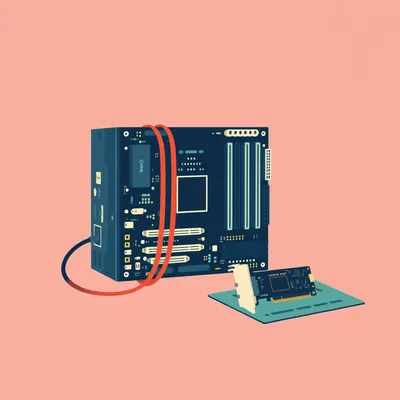
Daniel sent us this one — his home server has taken yet another dramatic turn. After the whole motherboard death and rebuild saga, the one thing that survived was the storage. And now he's getting ZFS pool degradation warnings with a worsening checksum situation. He's racing the clock. The actual question is: assuming SSD storage, which he figures is the most reasonable for a server and fits the form factor, what should you actually look for on a spec sheet for server-appropriate performance? And what specific products are good and priced appropriately for someone who isn't a business purchaser?

Oh, this is the right crisis at the right time. That checksum error is basically ZFS screaming at you — "I am catching bit rot in real time, do something before I can't fix it anymore." And the fact that it's degrading, meaning the count is climbing, that's not a drill.
The server equivalent of your car making a noise that stops being intermittent and becomes a personality trait.
And here's what most people miss — ZFS is doing something remarkable in that moment. Every time it reads a block and the checksum doesn't match, it reconstructs the correct data from parity or a mirror and serves that to you. It's healing on the fly. But it's also logging every single one of those corrections. The degradation warning means that healing mechanism is getting a workout, and it's telling you the drive is producing errors faster than is comfortable.
The pool isn't dead yet. It's sending up a flare.
And the flare says "I am still protecting your data, but my margin is shrinking." The thing to understand about ZFS degradation is that it's not binary — it's not "pool healthy" versus "pool dead." There's a whole gradient where ZFS is compensating, and the degradation alert is basically the system saying the error rate has crossed a threshold that warrants your attention. On most configurations, that threshold is fairly conservative. You typically have time, but not infinite time.
How does that threshold actually work in practice? Like, what's the math behind "you have time but not infinite time"?
ZFS tracks checksum errors per drive, and the degradation threshold is typically set at fifty errors by default. Once a drive hits that count, ZFS flags it as degraded. But here's the thing — fifty errors on a drive that's holding terabytes of data is actually a tiny fraction of the total blocks. You're not at the cliff edge yet. The real question is the rate. If you got fifty errors over two years, that's one thing. If you got fifty errors in the last forty-eight hours, that's a completely different situation. The worsening checksum situation Daniel mentioned — that's the rate accelerating, which is what makes it urgent.
It's not just the count, it's the velocity.
And ZFS gives you that visibility if you're paying attention. A zpool status output will show you the error count, and you can see it tick up. When you see it go from two to seven to fifteen over the course of a week, you know the drive is on an exit trajectory.
Which brings us to the practical question — what do you replace it with? And how do you read a spec sheet so you're not just buying whatever has the most aggressive Amazon listing?
Let's talk about what makes an SSD appropriate for a server, as opposed to a desktop. The number one thing — and I cannot stress this enough — is not sequential read speed. Every consumer SSD markets its five-thousand-megabytes-per-second sequential read, and for a home server that is almost completely irrelevant.
Because a home server isn't moving around giant video files all day.
What a server does is small, random operations scattered across the drive, constantly, twenty-four hours a day. ZFS is doing transaction groups every five seconds by default. It's updating metadata. It's scrubbing. It's serving up tiny blocks for a database or a file index or a media server's library scan. Those are all random I/O workloads, and the spec that matters for that is random read and random write IOPS at low queue depths. Queue depth one or queue depth four performance tells you way more about how the drive will feel in a server than the sequential number on the box.
I want to pause on that "transaction groups every five seconds" thing because I think that's one of those details that separates a desktop from a server in a way people don't visualize. Can you unpack what's actually happening every five seconds?
ZFS doesn't write every tiny change to disk immediately. It batches writes together into transaction groups and commits them every five seconds by default. So even if your server is doing nothing — no one's streaming, no one's accessing files — ZFS is still waking up every five seconds and saying "is there anything to commit?" If there's even a log entry or a metadata update, it writes. That's a minimum of seventeen thousand two hundred eighty write operations per day just from the filesystem's own heartbeat. A desktop drive can handle that, but it's never getting a real rest. The drive's firmware is constantly managing writes, and over months and years, that adds up.
The drive is essentially doing micro-workouts around the clock instead of one big workout and then resting.
And it's those micro-workouts that wear down a consumer drive's endurance in ways the spec sheet doesn't warn you about if you only look at the big sequential numbers.
What numbers should someone actually look at?
For a SATA SSD, which is still the sweet spot for home servers because you don't need PCIe Gen 4 bandwidth for a Plex library, you want to see random 4K read IOPS in the range of ninety thousand to a hundred thousand, and random 4K write maybe in the eighty to ninety thousand range. Those are the numbers that say "this drive won't choke when five things ask it for different blocks at the same time." For NVMe, you're looking more like three hundred thousand to five hundred thousand random read IOPS. But honestly, for most home server workloads, any decent NVMe drive is so far beyond what the workload demands that you're optimizing for endurance, not speed.
That's the TBW number?
And this is where the consumer-versus-server distinction really bites. A consumer SSD might advertise six hundred TBW. Sounds like a lot. But in a server that's constantly writing ZFS transaction groups, logs, metadata updates, maybe hosting a few VMs or databases, you can chew through that faster than you'd think. Let me give you a concrete example. A Samsung 870 EVO, which is a perfectly fine consumer SATA SSD, is rated for six hundred TBW on the one-terabyte model. The WD Red SA500, which is Western Digital's NAS-specific SATA SSD, is rated for one thousand three hundred TBW on the same capacity. More than double.
You're paying for the drive to not quietly disintegrate over eighteen months.
And here's the thing about how SSDs fail that's different from spinning drives. A hard drive might give you SMART warnings, reallocated sectors, maybe some clicking. There's often a degradation curve. An SSD, when it exhausts its write endurance, can just go read-only or drop off the bus entirely. Flash memory wears out, and the controller's job is to manage that wear. When it runs out of spare cells to rotate in, it's done. No warning curve. That's why TBW matters so much in a server context.
Which is the nightmare scenario when you're already racing a degrading pool. You replace one failing drive with a new one that's going to fail silently in a year because you didn't check the endurance rating.
In a ZFS pool, that's how you lose everything. Because ZFS can survive one drive failing if you have redundancy. But if a second drive fails during the resilver — the process of rebuilding onto the replacement drive — the pool is gone. And resilvering is the most intense workload a ZFS pool ever sees. It reads every block on every surviving drive, verifies checksums, reconstructs the data, and writes it continuously to the new drive. If that new drive has low endurance, you're stress-testing it on day one.
The replacement drive needs to be tougher than the original, not just equivalent.
Which is why I always tell people — for a ZFS server, buy NAS-rated or enterprise-ish SSDs. You don't need the Intel Optane or the Kioxia enterprise stuff that costs a fortune. But you do want something with power-loss protection capacitors if you can get it, and you definitely want a TBW rating that's at least double what you think you need.
Power-loss protection. Explain that one.
When an SSD is writing data, it's not just writing to the flash cells directly. There's a DRAM cache on the drive that buffers writes, and there's a mapping table that tracks where everything is. If power cuts while that's happening, a consumer SSD can lose data that the operating system thinks was already committed to disk. That's bad for any filesystem. For ZFS, which has its own transactional integrity guarantees, it's especially bad — ZFS thinks the data is safely on stable storage, and it's not. Enterprise and NAS drives have capacitors that store enough power to flush the DRAM cache to flash if power is lost. The drive finishes its write, then shuts down cleanly.
The little battery that saves you from the universe's sense of humor.
Now, for a home server, full enterprise drives with power-loss protection are expensive and often overkill. But some of the NAS-rated drives include a lighter version of it, or at least have firmware that's more conservative about acknowledging writes. The WD Red SA500 has some of that. The Seagate IronWolf SSDs have it. The Samsung PM893, which is their entry-level enterprise SATA drive, has full power-loss protection and can sometimes be found at prices that aren't ridiculous.
You're saying there's a middle tier between "this was on sale at Best Buy" and "please contact our sales team for pricing.
That middle tier is exactly where a home server should live. Let me run through some specific models, because the spec sheet comparison is instructive. On the SATA side, which again is where most home servers are because older server boards have SATA backplanes and you don't need the speed — the WD Red SA500 is probably the most accessible. It's explicitly marketed as a NAS SSD. One thousand three hundred TBW on the one-terabyte, two thousand five hundred on the two-terabyte. It's got slightly higher latency than a consumer drive because the firmware is optimized for consistency and endurance, not peak burst speed.
Consistency being the thing you actually notice over months of uptime.
A consumer drive will give you a burst of speed and then thermal-throttle or slow down as its SLC cache fills up. A NAS drive is tuned to deliver the same performance hour after hour. The Seagate IronWolf 125 SSD is similar — one thousand four hundred TBW on the one-terabyte, and Seagate includes their own health monitoring tools that integrate with some NAS operating systems. The Samsung 870 EVO, by comparison, is six hundred TBW and no power-loss protection. It's half the endurance at roughly the same price point if you're comparing terabyte to terabyte.
The consumer drive is actually more expensive per usable terabyte over its lifetime.
That's the math nobody does. If a one-terabyte SA500 costs twenty percent more than an 870 EVO but lasts more than twice as long, the cost per terabyte written is dramatically lower. And in a server, you will write terabytes.
The trap is that the EVO looks cheaper on the receipt.
It feels fine for the first six months. Then you start getting the same degradation warnings you're trying to escape now. For NVMe, if someone's running a newer server with M.2 slots or U.2 bays, the landscape shifts a bit. The Samsung 970 EVO Plus was the go-to for a long time, but its endurance is still consumer-grade — six hundred TBW on the one-terabyte. The WD Red SN700 is the NVMe NAS drive, and it's rated for two thousand TBW on the two-terabyte model. That's a massive difference. There's also the Solidigm P44 Pro — Solidigm being the former Intel SSD division now owned by SK Hynix — and while it's technically a client drive, its endurance numbers are surprisingly good and its firmware is derived from enterprise lineage.
I keep forgetting that name exists. It sounds like a construction material.
It really does. "We're replacing the drywall with Solidigm." But their drives are genuinely good. The P44 Pro one-terabyte is rated for seven hundred fifty TBW, which is better than the Samsung consumer drives, and its random IOPS are excellent. The real sleeper pick though, if you can find them, is the Samsung PM893 or the PM9A3. These are enterprise drives that sometimes show up on eBay or from server part resellers with low hours. The PM893 is SATA, rated for one drive write per day — that's one thousand eight hundred twenty-five TBW over five years for a one-terabyte drive. The endurance is in a completely different league.
The eBay enterprise drive. That feels like buying a used police car. It might have been driven hard, but it was maintained.
That is a shockingly good analogy. And the thing about enterprise SSDs is they're often decommissioned not because they're worn out, but because a data center upgraded to higher capacity or faster interfaces. You can find drives with ninety-five percent of their endurance remaining. The catch is you need to check the SMART data before trusting them, and you should budget for a spare.
How do you actually check that on a used enterprise drive? Like, you get it from eBay, it shows up in a static bag, what's the first thing you do?
You plug it into a system — not your production server, ideally a test bench or even a USB adapter — and you pull the full SMART data. The two key attributes are "Percentage Used Endurance Indicator" or "Media Wearout Indicator," depending on the manufacturer. On Samsung enterprise drives it's attribute one seventy-seven, and it'll show you a number like "two percent" meaning two percent of the rated endurance has been consumed. You also want to look at the total bytes written, compare that to the TBW rating, and do the math yourself. If a drive is rated for one thousand eight hundred TBW and it's showing twenty terabytes written, you've got a practically new drive. If it's showing one thousand five hundred TBW, you're buying something near retirement.
The SMART data can't be reset, right? That's burned into the controller?
The wear indicators are monotonic — they only go up. You can't wipe them. That's what makes used enterprise drives a viable option if you do your homework. But I always tell people, if the listing doesn't show the SMART data or the seller won't provide it, walk away. There are plenty of reputable resellers who specialize in decommissioned enterprise gear and provide full SMART reports in the listing.
For someone who's not a business purchaser, who just wants to buy something new with a warranty and not think about it, where does that leave them?
For SATA, the WD Red SA500 or the Seagate IronWolf 125. Those are the two I'd put at the top of the list. They're priced within reach, they have the endurance ratings, and they're explicitly designed for the always-on, mixed-workload pattern of a NAS or home server. For NVMe, the WD Red SN700 is the direct equivalent. If someone wants to spend a bit more for peace of mind, the Samsung PM893 on the SATA side or the Solidigm D7 series on the NVMe side get you into proper enterprise endurance territory.
What about capacity? Is there a sweet spot for price per terabyte with these NAS drives?
Right now, the two-terabyte models tend to hit the best price-per-terabyte ratio for both the SA500 and the IronWolf 125. The four-terabyte models exist but the premium is steep. For most home servers, a pair of two-terabyte drives in a mirror configuration gives you enough capacity for operating systems, containers, VMs, and frequently accessed data, with bulk media storage on spinning drives if needed.
Which brings up the other half of the question — the server versus desktop distinction. He mentioned that the server is constantly running, even if it's just low-level background operations. How does that change what you look for?
It changes everything about the workload profile. A desktop drive spends most of its life idle. You boot up, you launch an application, there's a burst of reads, maybe some writes, then long periods of nothing. The drive can do background garbage collection, wear leveling, all its housekeeping. A server drive never gets that idle time. ZFS is writing transaction groups every few seconds. Logs are being written. Monitoring tools are polling. Even at three in the morning when nobody's using anything, the filesystem is alive.
The server equivalent of a resting heart rate that never actually drops to resting.
And SSDs need idle time to do what's called garbage collection — reclaiming blocks that have been marked as invalid so they can be written again. If the drive never gets a break, garbage collection has to happen during active writes, which slows things down and increases write amplification. Write amplification is the ratio of actual writes to the flash versus what the host asked for. In a desktop, write amplification might be one point five to two times. In a server that never idles, it can be three to five times, sometimes higher.
A drive rated for six hundred TBW might only give you two hundred effective in a busy server because of write amplification.
And NAS-rated drives have firmware that's specifically tuned to manage garbage collection under sustained load. They also typically have more over-provisioning — extra flash capacity that's not reported to the operating system, reserved for the controller to use as a buffer for wear leveling and garbage collection. A consumer one-terabyte drive might have five to seven percent over-provisioning. A NAS or enterprise drive might have ten to fifteen percent, sometimes more. That's part of why the same capacity costs more — you're getting more actual flash inside.
When you're looking at a spec sheet, the over-provisioning isn't listed, but the TBW rating is the downstream consequence of it.
TBW is the number that captures the combined effect of over-provisioning, flash quality, and firmware intelligence. It's the single best proxy for "will this drive survive in my server." Higher TBW means the manufacturer is confident the drive can handle sustained writes for years.
What about the drive's DRAM cache? I see that come up in SSD discussions.
For a server, you want DRAM. DRAM-less SSDs use a technology called Host Memory Buffer, or HMB, where they borrow a chunk of system RAM to store their mapping tables. That's fine for a laptop. For a server running ZFS, which is already using a ton of RAM for its own ARC cache, you don't want your storage controller competing for memory bandwidth. A drive with its own DRAM is more predictable, and predictability is what you want in a server. Every NAS-rated drive I mentioned has onboard DRAM.
Predictability being the quiet virtue nobody puts on the box.
The box says "up to five hundred fifty megabytes per second" and that number is true for about eight seconds before the cache fills and it drops to two hundred. A good server drive has a steady-state write speed that's documented somewhere in the fine print. For the WD Red SA500, the sustained sequential write after the cache is exhausted is still over four hundred megabytes per second. That's not a number they advertise prominently, but it's the number that matters when ZFS is doing a scrub or a resilver.
Let's talk about the specific crisis for a moment. He's got a degrading pool. The checksum errors are climbing. What's the actual procedure here?
Step one, and I mean immediately, is to verify your backups. If you have a backup that's current, the urgency changes from "save the pool" to "replace the drive comfortably." If you don't have a backup, do nothing else until you have one. Even if it means buying an external drive and copying the most critical data off manually. A degrading ZFS pool can still be read — that's the whole point — so you can pull data off it.
If the backup situation is...
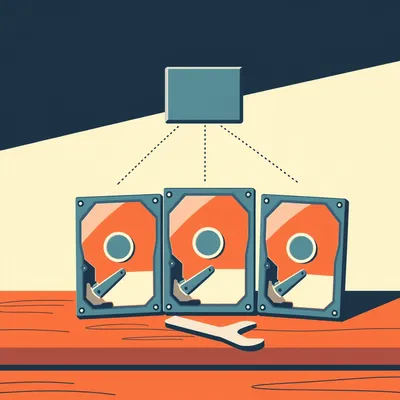
Then you prioritize. Identify what's irreplaceable and copy it somewhere else first. Photos, documents, config files, databases. Media files you can re-rip or re-download are lower priority. Once the critical stuff is safe, then you address the pool. The actual fix depends on the pool configuration. If it's a mirror, you offline the failing drive, replace it physically, and run zpool replace. If it's a RAIDZ, same idea but you're more vulnerable during the resilver because you have less redundancy to absorb a second failure.
What about the scenario where someone's running a pool with no redundancy at all? A single-drive pool?
That's the "drop everything and back it up now" scenario. A single-drive pool with checksum errors means ZFS can detect the corruption but it can't fix it — there's no parity or mirror to reconstruct from. The only thing ZFS can do is tell you which files are affected. In that situation, you're not replacing a drive in a pool, you're evacuating data to a new pool entirely. You create a new pool on a fresh drive, copy everything over, verify it, and decommission the old one. And then you add a second drive and make it a mirror so you're never in that position again.
The painful lesson that redundancy isn't about paranoia, it's about giving ZFS the tools it needs to do its job.
ZFS without redundancy is like having a smoke detector with no fire extinguisher. It'll tell you there's a problem, but it can't do anything about it.
The new drive should be stress-tested before you trust it with your data.
A bad block scan, at minimum. Something like badblocks in destructive write mode, or a full SMART conveyance test followed by a long self-test. You want to catch infant mortality before ZFS is depending on the drive. I've seen people replace a failing drive with a brand new one that was dead on arrival in a subtle way, and the pool didn't survive the resilver. That's a worst-case scenario that's entirely avoidable with an hour of testing.
The "new doesn't mean working" principle.
Which applies to everything in computing, but especially to storage. Drives have a bathtub curve failure pattern — they either fail very early or very late. Testing catches the early ones.
I want to circle back to something you mentioned earlier about the resilver being the most intense workload a pool ever sees. If someone's pool is already degraded and they're about to do a drive replacement, is there anything they can do to reduce the risk during that process?
A few things. First, if your pool configuration supports it, you can throttle the resilver speed. ZFS has a tunable called zfs_resilver_delay that inserts pauses between I/O operations during a resilver. The default is two, which means ZFS will insert a two-tick pause. Increasing that reduces the strain on the surviving drives at the cost of a longer resilver. If your surviving drives are also old or showing signs of wear, a longer, gentler resilver is safer than a fast one that pushes them over the edge. Second, if you have a spare SATA port or M.2 slot, you can add the replacement drive without removing the failing one, do a zpool replace, and let ZFS use both during the transition. That way, if the new drive turns out to be bad, the old degraded one is still there as a last resort.
You're not pulling the failing drive until the replacement is fully integrated and verified.
That's the ideal scenario. You need the physical ports and bays for it, but if you have them, it's the safest path.
To pull this back to the spec sheet question — what's the one-line summary for someone staring at a product page trying to decide?
Look for TBW first, then check for onboard DRAM, then verify it's at least NAS-rated if not entry-level enterprise. Ignore the sequential speed numbers entirely. If the TBW isn't listed prominently, that's a red flag. Reputable NAS and enterprise drives advertise their endurance because that's what their buyers care about. Consumer drives bury it in the fine print because it's not impressive.
The specific product recommendations?
For SATA, which I'm guessing is what his server uses given the form factor comment — WD Red SA500 or Seagate IronWolf 125. Two terabytes hits the price sweet spot. For NVMe, WD Red SN700. If he wants to go the enterprise route and is comfortable with used, the Samsung PM893 for SATA or the Solidigm D7 for NVMe. And buy a spare. Always have a cold spare on the shelf.
The cold spare. The storage equivalent of keeping a fire extinguisher you hope to never use.
When you need it at eleven PM on a Saturday, you will be extremely glad it's there. One more thing worth mentioning — whatever drive he chooses, after replacing the degraded drive and the pool is healthy again, run a scrub. A full pool scrub reads every block, verifies every checksum, and confirms the data is intact. It's the all-clear signal. And then schedule regular scrubs going forward. Once a month is reasonable for a home server.
That's the preventative side. You fix the acute problem, then you build the habit that catches the next one early.
ZFS scrubs are basically a fire drill for your data. They find problems before they become emergencies. The degradation warning he's seeing now — that's the scrub doing its job. Without ZFS, he might not know anything was wrong until files started coming back corrupted.
Which is the nightmare scenario that ZFS was designed to prevent. The quiet corruption that sits there for months until you open a photo and it's half gray.
By then, your backups have been backing up the corrupted version for months. That's the silent killer. ZFS's checksumming catches it before it propagates.
There's actually a famous case study about this from the early ZFS days — the researcher who deliberately introduced bit flips into a ZFS pool to demonstrate the self-healing properties, and also showed that other filesystems just silently served the corrupted data. Do you remember the details on that?
Yeah, that was one of the early Sun presentations that really sold people on ZFS. The setup was simple — they had identical hardware running ZFS on one system and a traditional filesystem with hardware RAID on the other. They introduced a single bit flip in a data block, then tried to read the file. The traditional RAID system served the corrupted block without a single complaint because the RAID controller's parity check passed — the parity had been calculated from the already-corrupted data, so it matched. The ZFS system detected the checksum mismatch, reconstructed the correct data from the mirror, and served the clean block. The user never knew anything happened. The log showed the correction, but the data was intact.
The really insidious part was that the RAID controller had no way of knowing the data was corrupted because it only verifies that the bits on disk match the parity it calculated. If the corruption happened in the controller's own buffer or in the cable before the parity was computed, the bad data and the bad parity were written together, perfectly consistent and perfectly wrong.
End-to-end checksumming is the difference. ZFS checksums the data before it ever leaves system memory, writes it to disk, and then verifies the checksum on the way back. Any corruption anywhere in the path gets caught. Traditional RAID only protects against disk failure, not data corruption. That case study is why so many of us became ZFS evangelists in the first place.
The takeaway is: the server's screaming at you because the system is working as designed, but now you have to act. Buy a drive with high TBW and onboard DRAM, test it before you trust it, replace the failing drive, scrub the pool, and for the love of everything keep a cold spare.
If you're building a new server from scratch and choosing drives for the first time, start with NAS-rated SSDs and skip the whole "replace the consumer drive in eighteen months" arc.
The arc where you learn the lesson the hard way and then become the person giving this advice.
That arc is a rite of passage in the homelab community. I've been through it. You've watched me go through it.
It was loud.
It was very loud. There was shouting. There was a spreadsheet.
There's always a spreadsheet with you. That spreadsheet had color coding that I can only describe as "increasingly alarmed.
The red cells were multiplying. It was a bad weekend.
Now: Hilbert's daily fun fact.
Hilbert: In nineteen seventy-three, a mathematician on Réunion Island nearly published a paper proposing the inverted exclamation mark as the universal symbol for "the following statement is false," but withdrew it after realizing he had accidentally created a notation that, when applied to itself, produced a paradox that crashed the island's only mainframe computer.
...right.
I have to ask — did the mainframe literally crash, or did it just get stuck in a loop?
Hilbert: The operator reported that the machine's error lights began flashing in a pattern that, when transcribed into the mathematician's own notation, spelled out the phrase "no thank you" in French.
Of course it did.
This is why we can't have nice things on Réunion Island.
To wrap this up — the home server storage question is really about recognizing that "server-appropriate" means something specific. It means endurance under constant load, not peak speed. It means paying for TBW and firmware maturity, not for the biggest number on the retail box. The good news is that the right drives are available and they're not dramatically more expensive than the wrong ones. You just have to know what you're looking at.
The broader point that I think gets lost — ZFS degradation warnings are a gift. They're the system telling you something is wrong while it's still fixable. Most filesystems would just let the corruption happen silently. The fact that you're getting a notification instead of discovering the problem six months later when a file won't open — that's the whole reason to run ZFS in the first place.
The gift you don't want but are glad you received.
Thanks to Hilbert Flumingtop for producing. This has been My Weird Prompts. Find us at myweirdprompts dot com.
Or wherever you get your podcasts. We'll be here when your server beeps at you.