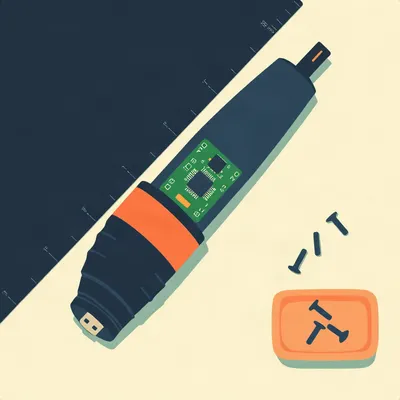
The universal diagnostic of a dying port: you find the magic angle, the one where the charge light flickers on, and you spend the next three hours building a small shrine out of books and tape to hold the cable at exactly forty seven degrees.

The shrine never survives the night. You come back in the morning and the light is off and the thing is at sixty percent.
Daniel's there right now. His Dremel 7760, the engraving gateway drug, has developed the classic micro USB failure. He tried multiple cables, multiple chargers, and the only variable that makes it charge is tilting the device at a specific angle and rotation. So he's ruled out the cable, ruled out the charger, and landed on the port itself. Which is the correct deduction.
It is, and it's the deduction most people resist for weeks because the cable is the thing you can see and swap.
His questions are layered. First, the practical one: how hard is the soldering work to swap out a micro USB port? Second, the design question: is micro USB inherently more fragile than USB-C, or is that just his anecdotal experience? Third, the upgrade question: can you swap in a USB-C port, or do the internals preclude it? And fourth, the warranty reality: the device should be under warranty, but in Israel the process is retailer fobbing you off to a national importer, weeks in a lab, and a daily-use tool sitting dead.
So let's start with the physical difference between these two connectors, because Daniel's observation about failure rates is spot on, and the reason is mechanical, not electrical.
That's the thing I want to hold onto. Both connectors carry five volts. The electricity doesn't care. The failure is in the metal and the solder.
Micro USB was the universal standard for over a decade. It shipped in billions of devices. And its failure mode is almost always mechanical. The connector is a friction fit, and inside the receptacle there's a thin, cantilevered tongue. It's a small flat blade of plastic with metal contacts on it, and it's held in place by the housing around it. Any lateral force on the cable, any push up, push down, push sideways, transfers directly through the plug, onto that tongue, and from the tongue into the solder joints that hold the receptacle to the board.
So the tongue is a lever, and the board is the fulcrum, and every time you bump the cable while it's plugged in you're prying at the joint.
And the plug itself is small and thin, so the leverage ratio is terrible. A cable hanging off the side of a desk has the full weight of the cable pulling down on a connector that's maybe five millimeters wide.
And the Dremel is a handheld tool. Daniel's not leaving it on a desk. He's holding it while it charges, or it's sitting on a workbench where things get knocked.
Right. The rated mating cycle count for micro USB is typically around ten thousand insertions. USB-C is rated for ten to twenty thousand depending on the manufacturer. But the cycle count is not the real story. The real story is that micro USB fails from lateral stress long before it fails from insertion fatigue. The tongue snaps, the housing separates from the board, or the solder joints crack. Daniel's symptom, working only at a specific angle, is classic for a cracked solder joint or a bent internal contact. When he tilts it, he's physically pressing the broken joint back into contact.
So the electricity is fine. The metal has just stopped touching the other metal.
And that's the whole diagnosis in one sentence.
Now contrast with USB-C. Because Daniel's observation, that his port failures dropped off a cliff when his devices moved to Type C, that's not placebo.
USB-C is a fundamentally different mechanical design. The receptacle is an oval, symmetrical shape. The tongue, in most USB-C receptacles, is a solid central blade that's supported on both sides by the housing. It's not cantilevered the way micro USB is. And the plug itself is thicker, wider, and has a higher insertion force with a more robust latching mechanism. The force from lateral stress gets distributed across a much larger surface area.
And the tongue is in the cable, not the device, in a lot of designs.
That's the key part. In USB-C, the part most likely to wear or bend is in the plug on the cable. If you damage a cable, you throw away the cable. If you damage the receptacle in the device, you're doing surgery. So the design moved the sacrificial component to the cheaper, more replaceable part.
That's the engineering elegance of it. Micro USB put the fragile part in the device. USB-C put the fragile part in the cable. And the cable is a consumable.
And the insertion force is higher, which sounds counterintuitive, but it means the connector seats more firmly and wiggles less. Micro USB always had that slightly loose, rattly feel. USB-C snaps in and stays put.
So that's the mechanical why. The question Daniel actually asked was, how hard is it to fix?
Let me be honest about this. Replacing a surface-mount micro USB port is not a beginner's job. It's not impossible, but it's not like swapping a battery.
Walk me through what the actual work looks like.
The port on a Dremel 7760 is almost certainly a surface-mount component with through-hole anchors. That means the main electrical connections are small pads on the surface of the board, and there are usually two or four larger pins that go through the board and anchor the port mechanically. Those through-hole anchors are what give the port its resistance to being ripped off the board. But they also make removal harder.
Because you have to desolder both the surface pads and the through-hole pins simultaneously.
Right. And the board has a large copper ground plane. That ground plane acts as a heat sink. When you touch a soldering iron to a joint, the heat doesn't stay at the joint. It gets wicked away into the copper. So a simple soldering iron, even a decent one, often can't get the joint hot enough to melt the solder without holding it there for a long time. And holding it there for a long time is how you lift pads and delaminate traces.
So the recommended tool is a hot air rework station.
A hot air station is the proper tool. You heat the entire port area evenly until the solder melts, then lift the old port off. Then you clean the pads, apply fresh solder, position the new port, and either use hot air again or a fine-tipped iron to reflow the joints. The pads are small. The pitch between them is a fraction of a millimeter. You need flux, you need magnification, and you need a steady hand.
And if you don't have a hot air station?
There's an Instructables guide specifically about replacing a micro USB port with only a soldering iron. It's doable. The technique involves adding a lot of fresh solder to lower the melting point, using flux aggressively, and sometimes using a low-melt alloy like chip quik to get the old port off. But the guide itself is full of warnings about patience and risk. You can absolutely lift a pad and then you're in a much worse situation.
Lifted pad meaning the copper trace comes off the board with the solder.
And then you're running jumper wires to repair the damage you caused trying to repair the original problem. Which is a whole other level of repair.
There's a JustAnswer thread about the Dremel 7760 Lite specifically, and the port is a known weak point. Users report exactly what Daniel's seeing. The port gets loose, then it only charges at an angle, then it stops entirely.
The 7760 is a great tool, but it's a handheld rotary tool that vibrates. Vibration plus a friction-fit connector plus a port that's surface-mounted is a recipe for exactly this failure. The vibration is doing micro-hammering on those solder joints every time the tool runs.
That's a point worth pausing on. It's not just that the port is fragile. It's that the tool's whole job is to vibrate.
Right. A phone in your pocket flexes the port. A Dremel actively shakes it. So the Dremel is actually a harsher environment for a micro USB port than a phone is.
So for Daniel, the repair options are: attempt the desolder and resolder with a hot air station and hope he doesn't lift a pad, or try the iron-only method and accept the risk.
There's a third option, and it's the one I'd probably recommend for a tool that's still under warranty. The pigtail approach.
Explain that.
You cut the old port off the board entirely. You take a new micro USB port, or a small breakout board, and you wire it to the board with flying leads. Solder the power and ground wires to the pads where the old port was, and then mount the new port somewhere with proper strain relief, maybe epoxied to the housing. It's ugly, but it's mechanically much more forgiving than trying to get a surface-mount port to sit perfectly on the original footprint.
And the downside?
It's less robust in the long term if you don't get the strain relief right. The flying leads can fatigue and break. But if you're doing a repair on a tool you use every day and you don't have a rework station, it's the pragmatic choice. You're trading elegance for reliability.
And if you're Daniel and the device is under warranty, the calculus is different. But he asked us to imagine it's out of warranty, so let's stay there.
For a beginner, I'd say the soldering work on a surface-mount micro USB port is a six or seven out of ten in difficulty. It's not the hardest thing in electronics repair, but it's well past the point where you can just wing it. You need the right tools, you need flux, you need magnification, and you need to accept that you might destroy the board.
And now the upgrade question. Can you just swap in a USB-C port?
This is where it gets interesting, because the electrical answer and the mechanical answer point in different directions.
Start with the electrical.
Electrically, basic charging is five volts. Micro USB and USB-C both carry five volts on the power pins. So if you wire a USB-C receptacle's power and ground pins to the same pads where the micro USB port was, the device will charge. But there's a catch. USB-C chargers don't just put five volts on the line by default. They wait for a signal from the device.
The CC lines.
Right. The configuration channel. A USB-C receptacle has two CC pins, and for a device that just wants basic five volt charging, you need to put a five point one kiloohm pull-down resistor on each CC line. That tells the charger, I'm a legacy device, give me five volts. Without those resistors, a USB-C charger will simply not supply power. You plug it in and nothing happens.
So the upgrade is not a straight wire swap. You need to add two resistors.
Two tiny resistors, yes. And that's the part most people miss. They think USB-C is just a different shaped connector, and they solder one on and then wonder why their charger ignores them.
The charger is being polite. It's waiting to be asked.
That's actually a good way to put it. Micro USB was the wild west, the charger just shoved five volts down the line whether you wanted it or not. USB-C has a handshake protocol. The charger is a professional now.
So electrically, the upgrade is feasible. What's the mechanical hurdle?
The footprint. USB-C receptacles are physically larger than micro USB. They have more pins, and the through-hole anchors are in different positions. So you can't just drop a USB-C port onto a micro USB footprint. The pads don't line up.
So you'd need an adapter board.
There are small breakout boards that have a USB-C receptacle on one side and solder pads on the other. You wire the breakout board to the original micro USB pads using flying leads, and you mount the board wherever it fits in the housing. That's the practical upgrade path for a device like the Dremel, which almost certainly only uses USB for charging and has no data lines to worry about.
The Dremel doesn't do data over USB, right? It's just for charging the internal battery.
As far as I know, yes. The 7760 charges over USB and that's it. So the data pins can be ignored, which simplifies the wiring significantly. You just need power, ground, and the two CC resistors.
And the housing?
That's the real problem. The Dremel's case is molded for a micro USB port. A USB-C port is a different shape. You'd need to modify the case, either with a file or a rotary tool, which is a nice bit of irony, using a Dremel to modify a Dremel, and then figure out how to mount the new port securely. If the port is just floating on flying leads, it'll fail again in a month.
So the upgrade is possible but it's a project, not a repair.
It's a project for someone who enjoys the process. For someone who just wants their tool working again, replacing the micro USB port with another micro USB port is the faster path.
And yet, the fact that we're even having this conversation is a symptom of a bigger problem. The slow transition to USB-C.
The EU has now mandated USB-C as the common charging port for a wide range of devices. Phones, tablets, cameras, headphones, portable speakers, handheld game consoles. The whole point is to reduce e-waste and consumer inconvenience. And the mandate exists precisely because of situations like Daniel's. A perfectly good tool is now sitting dead because a connector that cost a few cents failed.
And the cost of that failure is borne entirely by Daniel. The manufacturer saved a few cents using micro USB instead of USB-C, and now Daniel is either waiting weeks for warranty service or doing surgery on his tool.
The Dremel 7760 came out before USB-C was ubiquitous, so I don't want to be unfair to Dremel. But the broader point stands. Every year that a manufacturer keeps shipping micro USB, they're externalizing a cost onto their customers.
Now, Daniel's warranty question. Because he's in Israel, and the process there is its own special kind of frustrating.
Daniel described it accurately. The retailer directs you to a national importer who has the contract for the brand. The importer doesn't want to fix your single unit. They make the process slow enough that you give up. Send it to our lab, we'll get it back to you in a few weeks. For a daily-use tool, that's a de facto denial of warranty.
And this isn't unique to Israel. It's the pattern in any market where a single importer controls a brand. The importer's incentive is to minimize warranty claims, not to provide good service.
The economics are brutal. A single unit repair costs the importer more in labor and shipping than the unit is worth. So they don't repair it. They either replace it with a refurbished unit or they drag their feet until the customer disappears.
And the retailer is just as bad. They sold the thing, they took the margin, and now they're pointing at the importer as if the importer is some distant authority they have no control over.
In Israel, the consumer protection laws do require the retailer to handle warranty claims, but enforcement is inconsistent. The practical reality is what Daniel described. You call the retailer, they give you the importer's number, and you're in a loop.
And Daniel's using this tool every day. He's in the middle of engraving work. Waiting three weeks for a warranty repair means three weeks of not doing the thing he bought the tool to do.
So the rational calculation, even with a warranty, is often to just fix it yourself or buy a new one. Which is exactly what the importer wants. They'd rather you buy a new unit than claim on the warranty.
And that's the quiet scandal of the whole thing. The warranty exists on paper, but the process is designed to make claiming it more expensive than not claiming it.
The EU's right-to-repair rules are trying to address this from a different angle. Making spare parts available, requiring manufacturers to design for repairability, standardizing ports. The USB-C mandate is part of that same push. If every device uses the same port, the port itself becomes a commodity, and the failure rate drops because the design is more robust.
So the macro trend is moving in the right direction. But Daniel's Dremel is stuck in the micro USB era, and the question is whether he waits for the warranty process or takes matters into his own hands.
And that's the decision every owner of a micro USB device faces eventually. The port will fail. It's not a question of if. It's a question of when, and whether you're ready to do the repair.
So that's the mechanical why, the repair reality, and the upgrade feasibility. But what does it actually take to fix one of these things yourself?
Let me give you the concrete steps, because I think people benefit from knowing what they're signing up for. First, you open the Dremel. The 7760 has screws under the rubber overmolding, and the housing splits in half. You need to be careful with the battery connection, because the lithium cell is right there.
So first step is don't short the battery.
Always the first step. Disconnect the battery before you touch anything else. Then you inspect the port. Look for cracked solder joints under magnification. If the joint is cracked, you might get lucky and just reflow it with a soldering iron and some flux. That's the best case scenario.
And the worst case?
The port is physically broken, the tongue is bent or snapped, and you need to replace the whole component. That's when you're reaching for the hot air station or making the pigtail decision.
And if Daniel's symptom is that it charges at a specific angle, that suggests a cracked joint, not a snapped tongue.
It suggests a cracked joint or a bent internal contact. If it's a cracked joint, a reflow might fix it. If it's a bent contact inside the receptacle, the port is done and needs replacement.
So the first diagnostic step is actually to open it up and look.
Which is another argument for doing it yourself even if you're under warranty. You can't diagnose a cracked joint from the outside. You have to see it.
And once you've seen it, you can make an informed decision about whether to attempt the repair or send it in.
Right. And that's the thing about right-to-repair. It's not just about being allowed to fix your stuff. It's about having the information to make good decisions about your stuff.
Let's talk about the solder joint failure in more detail, because I think this is the heart of why micro USB fails so predictably.
The receptacle has four main anchor points. Two or four through-hole pins at the back, and then the surface-mount pads for the electrical connections. The through-hole pins are supposed to take the mechanical stress. The surface-mount pads are just supposed to carry electricity. But in practice, the stress gets transferred to everything.
Because the whole port is one rigid assembly.
When the cable gets pushed down, the port tilts, and the tilt puts tension on the back anchors and compression on the front pads. The solder joints are the weakest link. Solder is not a structural material. It's a connection material. It's not designed to flex. So repeated stress causes the solder to crack, and the crack grows over time.
Until the point where the only thing holding the connection together is Daniel's specific angle.
And then one day even the angle stops working.
The mortality curve of a micro USB port is a long slow decline, not a sudden death.
Which is why people tolerate it for so long. They find the angle, they build the shrine, they keep using the device for weeks or months. And then the angle gets narrower and narrower until it's gone.
And the USB-C design avoids this by making the connection more rigid and the sacrificial part cheaper.
The oval shape means the plug can't rock side to side the way a micro USB plug can. The higher insertion force means it seats more firmly. And the internal tongue is supported on both sides, so it doesn't act as a lever the way the micro USB tongue does.
The next time Daniel's holding a USB-C device, he can appreciate that the design is doing work for him.
The next time he's holding a micro USB device, he knows what's coming.
Let's get back to the upgrade question, because I want to make sure we've covered the practical path clearly.
The practical path is this. You buy a small USB-C breakout board. They're available from all the usual electronics suppliers. The board has a USB-C receptacle, and it breaks out the power, ground, and CC pins to solder pads. You solder two five point one kiloohm resistors from the CC pins to ground. Then you wire the board's power and ground to the original micro USB pads on the Dremel's board.
Those resistors are tiny surface-mount components.
They're small, yes. But they're not impossible to solder by hand. You need tweezers, flux, and a fine-tipped iron. And you need to be careful not to bridge the CC pins to anything else.
It's not a drop-in replacement. It's a small electronics project.
The housing is the real challenge. The USB-C receptacle is wider and taller than micro USB. You need to make the hole in the case bigger, and you need to mount the breakout board so it doesn't move. If the board moves, the solder joints on the flying leads will fatigue and fail.
Which brings us back to the pigtail approach. If you're going to run flying leads anyway, you might as well just use a new micro USB port and save yourself the case modification.
That's the pragmatic conclusion. The USB-C upgrade is cool, and it's a fun project, but for a tool that just needs to charge, a micro USB replacement is faster and more robust.
Unless you're the kind of person who enjoys the project for its own sake.
Daniel might be that person. He does open source development, he builds workflows, he tinkers. The USB-C upgrade is exactly the kind of thing he might enjoy.
But he also needs the tool working. So the question is whether the project is worth the downtime.
That's a question only he can answer.
The warranty angle adds another layer. If he opens the Dremel to diagnose the problem, does he void the warranty?
In most markets, opening the device doesn't automatically void the warranty unless the manufacturer can show that the opening caused the damage. But in practice, if the importer sees that the device has been opened, they'll use it as an excuse to deny the claim.
Daniel's in a bind. He can either wait for the warranty process, which might take weeks, or open it up and risk losing the warranty coverage.
That's the consumer repair dilemma in a nutshell. The warranty is supposed to protect you, but the process is so inconvenient that you're incentivized to either give up or fix it yourself, and fixing it yourself might cost you the warranty.
It's a system that's designed to make the consumer lose.
The EU's right-to-repair rules are trying to change that. Requiring manufacturers to make spare parts available for a certain number of years, requiring them to design for repairability, and banning practices that make repair artificially difficult.
The USB-C mandate is part of the same movement. If every device uses the same port, the port stops being a proprietary component and becomes a standard part that any repair shop can replace.
The port itself is more robust, so it fails less often. It's a double win.
But the mandate only applies to new devices. The millions of micro USB devices already in circulation are going to keep failing.
Their owners are going to keep facing the same decision Daniel's facing. Repair, replace, or upgrade.
Let's talk about the broader repair ecosystem for a moment, because I think there's something important about the way these failures ripple outward.
A failed charging port is one of the most common reasons devices get thrown away. The device still works, the battery still holds a charge, but the port is broken, and the repair is either too expensive or too intimidating. So the whole device goes in the bin.
That's the e-waste problem the EU is trying to address. A perfectly functional tool, killed by a connector that cost a few cents.
The right-to-repair movement has been pushing on this for years. And the USB-C mandate is the first major policy win. It says, you can't keep shipping devices with a fragile proprietary port when a better standard exists.
The manufacturers fought it, of course. Apple was the last holdout on the iPhone, and they eventually caved because the EU market is too big to ignore.
Now the iPhone uses USB-C, and the whole ecosystem is converging on a single standard. It's not perfect, but it's better than the fragmentation we had ten years ago.
Daniel's Dremel is a relic of the old world. A device from the final years of micro USB dominance, now failing in exactly the way micro USB always fails.
The question is whether he patches it up and keeps it going, or uses this as an excuse to upgrade to a tool with USB-C.
I suspect he'll try the repair. He's too curious not to open it up and look.
If he does, I hope he sends us photos. I'd love to see what the inside of that port looks like.
We should ask him to document the process. If he goes the pigtail route, that's a great tutorial for other people in the same situation.
If he goes the USB-C upgrade route, that's an even better one.
The episode is really about a decision. The port is broken. The warranty is unhelpful. The repair is possible but risky. The upgrade is tempting but complicated. And the clock is ticking because the tool is needed every day.
Underneath all of that is the design lesson. Micro USB was a compromise. It was small and cheap, and it worked well enough for a decade, but it put the fragile part in the wrong place.
The fragile part should be in the cable, not the device.
That's the whole story of USB-C in one sentence.
Hilbert: You're both wrong about the cable.
Wrong about which cable?
Hilbert: The cable's the problem, not the port. I've been saying this for years. The micro USB cables that ship with devices are garbage. Thin wire, cheap connectors, no strain relief. The port in the device is fine. The cable's plug wears out first, and then people blame the port.
The plug and the receptacle wear together, though. It's not one or the other.
Hilbert: The plug wears first. Always. I've got a box of good micro USB cables I've been hoarding since twenty twelve. The ones with the thick insulation and the metal shells. Those cables don't fail. The ports they plug into don't fail either, because the plug fits tight and doesn't wiggle.
You're saying the failure is a cable quality problem, not a connector design problem.
Hilbert: I'm saying the design is fine. The cables are the weak link. And the cables that come in the box are the worst ones.
That's a fair point about cable quality. A cheap cable with a loose plug absolutely accelerates port wear. The wiggle is what kills the solder joints.
Hilbert: Eleven years I've been using the same four cables. They're in a drawer, labeled. I don't let anyone touch them. My wife tried to borrow one once and I told her to use the ones from the kitchen drawer.
You have a decoy drawer of bad cables?
Hilbert: You have to. Otherwise people take the good ones and you never see them again.
What's your setup for charging, then? If you're so particular about cables?
Hilbert: It's a mess. I've got a power strip bolted to the side of my desk, and the cables are zip-tied to the desk leg so they don't hang. The zip ties are doing the strain relief. It's ugly but it works.
You've never had a port fail?
Hilbert: Not since twenty fifteen. Before that, I lost two phones to bad ports. Then I started buying the good cables and it stopped.
The strain relief point is actually really important. If the cable is secured so it can't pull on the port, the port lasts much longer. That's the same principle as the pigtail repair, just applied to the cable instead of the port.
Hilbert: I don't know about pigtails. I just know the cables matter.
Daniel's problem might be a combination of a cheap cable and a port that was already stressed from the tool vibrating.
Hilbert: The Dremel vibrates. That's the whole point of it. The port was never going to survive that.
That's the thing about handheld tools. They're a uniquely hostile environment for connectors. The vibration is constant, and the tool gets moved around while it's charging.
The fix, whatever Daniel does, should include some kind of strain relief. If he replaces the port, he should also figure out how to keep the cable from pulling on it.
Hilbert: Zip ties. That's what I use.
Zip ties are ugly but effective.
Hilbert: They're not ugly if you do them right. Cut the tail flush.
I'm going to remember that. Cut the tail flush.
Hilbert: I tried to upgrade a micro USB device to USB-C once. With a file and a soldering iron. Almost worked.
Almost worked?
Hilbert: The port fit after I filed the hole bigger. But I didn't know about the resistors. Plugged it in and nothing happened. Threw it in a drawer and forgot about it.
You were one resistor away from success.
Hilbert: Two resistors, apparently. I found out later.
The five point one kiloohm pull-downs. Without them, the charger won't deliver power.
Hilbert: That's what the guy at the electronics shop told me. After I'd already given up.
The knowledge was out there, just not in your drawer.
Hilbert: The drawer had the device and the file. Not the knowledge.
That's the thing about these upgrades. The electrical part is simple, but it's not obvious. You have to know about the CC lines and the resistors.
Hilbert: I know now. Too late for that project.
If Daniel does the USB-C upgrade, he should buy the breakout board with the resistors already on it.
Some of the breakout boards come with the resistors pre-soldered. That's the easiest path. You just wire power and ground and you're done.
Hilbert: That would have saved me an afternoon.
And a device.
Hilbert: And a device.
The moral of the story is, read the datasheet before you file the hole.
Hilbert: The moral of the story is, keep the good cables separate and zip-tie them to the desk.
Both lessons are valid.
Hilbert: I'm going home. My back hurts from sitting at this desk.
The one thing I'm taking from this episode: the fragile part should be in the cable, not the device. USB-C got that right, and micro USB got it wrong, and that single design decision explains most of Daniel's frustration.
The repair is possible, but it's a real project. If you're going to do it, do it with flux, magnification, and a plan for strain relief. Otherwise you'll be back in the same spot in six months.
If Daniel's warranty claim comes through, he should still open the thing up and look at the port. The diagnosis is the interesting part.
That's a good forward-looking question. Will the importer actually honor the warranty, or will Daniel end up doing the repair himself? And if he does, will he go micro USB or attempt the USB-C upgrade?
I suspect we'll find out. He's not the kind of person to leave a broken tool sitting on a shelf.
If you enjoyed this deep dive into the fragile world of charging ports, leave us a review. It helps other people who are currently tilting their devices at a forty seven degree angle find the show.
If you have a box of hoarded micro USB cables in a drawer, we want to hear about it. Email us at show at my weird prompts dot com.
This has been My Weird Prompts. We'll be back soon.