Daniel sent us this one after losing his phone on a bench, which feels like the most Daniel way to kick off a question. He's an Android user, and he's asking about the whole phone-loss pipeline — backups that actually work for power users, data protection if the phone falls into the wrong hands, and whether there's an app that balances security with giving a good Samaritan a way to return it. Specifically, he wants a lost-phone mode that shows a QR code on the lock screen so someone can scan it and notify him, but still lets him remotely nuke the thing after a few days if nobody bites.

This is such a good prompt because it cuts right through the fantasy of how phone recovery is supposed to work versus what actually happens. And Daniel's instinct about the tension between security and returnability — that's the thing nobody talks about.
Before we dive in, quick note — today's script is being written by DeepSeek V four Pro, which I only mention because it handled Daniel's multi-part question surprisingly cleanly.
Let's start with backups, because Daniel framed this really precisely. He's talking about recovery point objective and recovery time objective — RPO and RTO — which is the language backup engineers use. RPO is how much data you lose measured in time since your last backup. RTO is how long it takes to be operational again. He's right that on Android, the app data is the painful bit. Google's built-in backup system has been around since Android six, and it covers app data, call history, contacts, settings, SMS messages — but here's the catch. It only backs up app data for apps that opt into it, and the developer has to explicitly enable it. If the developer doesn't flip that switch in their manifest, Google Backup just skips their data entirely.
If you've got thirty apps and only twelve of them bothered to enable backup, you're losing the other eighteen.
And that's the default experience. Google gives each app twenty-five megabytes of backup storage on Google Drive, which is per app, and it doesn't count against your Drive quota. But the developer has to do the work. A lot of indie app developers don't bother. Some explicitly avoid it because they don't want to deal with the complexity of restoring data across different OS versions. So Daniel's instinct that you need something beyond the built-in backup is completely correct.
He mentioned FolderSync. What's the actual capability there?
FolderSync is essentially an rsync-like tool for Android. It can sync local folders to cloud storage — Google Drive, Dropbox, OneDrive, SMB shares, even SFTP. The power move with FolderSync is that you can point it at an app's data directory if you have root access. Without root, you're limited to what Android exposes through the storage access framework, which is mostly your shared storage — documents, photos, downloads. The app-private data directories in data data are sandboxed. So FolderSync is great for keeping your photos and documents synced continuously, but for app settings and databases, it hits the same wall unless you're rooted.
Rooting an Android in twenty twenty-six is not the casual affair it was in twenty fifteen.
It's actively hostile now. Google's Safety Net — well, now it's Play Integrity — will break Google Pay, banking apps, some streaming apps, even some games if it detects an unlocked bootloader or root. There's a whole cat-and-mouse game with Magisk and Zygisk and hiding root, but for someone like Daniel who just wants his phone to work reliably, rooting is not a practical answer. So the backup problem for unrooted power users is genuinely unsolved at the OS level.
What do power users actually do? He said nobody's manually backing up thirty apps even once a year, and he's right.
There are a few approaches. One is Swift Backup, which is an app that can back up APKs and app data without root in some cases, by using Android's accessibility service to automate the process. It's clever but fragile — it breaks when apps update their UI. Another approach is Neo Backup, which used to be called OAndBackupX. It requires root but it's the gold standard for full app data backup. Then there's the helium approach — Helium was an app by the ClockworkMod developer that used ADB backup over USB to a desktop. That still technically works. You can run ADB backup from a computer and it'll pull app data for many apps, but Google has been deprecating it. In Android twelve they marked it as deprecated, and in newer versions some apps block it entirely by setting allowBackup to false in their manifest.
The state of Android backup for power users is basically a patchwork of partial solutions, none of which are truly set-and-forget.
That's the honest answer. And it's been this way for years. Apple's iCloud Backup is better here — it backs up everything, app data included, because Apple mandates it and controls the whole stack. On iOS, when you restore from an iCloud backup, your apps come back with their data intact. No developer opt-in required. Android's approach gives developers more flexibility but the user experience suffers. Daniel's strategy of keeping his Androids expendable is a rational response to this reality.
He also raised the data protection angle — someone gets your phone, what's at risk? He mentioned Cerberus, which he's using. What's the actual security profile there?
Cerberus is one of the oldest and most respected anti-theft apps for Android. It's been around since twenty eleven. The core feature set is remote tracking via GPS, remote locking, remote wiping, taking photos with the front or rear camera, recording audio, and displaying messages on the screen. It also has SIM card change detection — if someone swaps the SIM, Cerberus sends the new number to your email, and can keep tracking. It can hide itself from the app drawer, which is useful if a thief doesn't know it's installed. The app has a web dashboard and SMS commands you can send from any phone.
Daniel's question about the QR code on the lock screen — does Cerberus do that?
Not natively in the form Daniel described. Cerberus can display a custom message on the lock screen, which is part of its lost-phone mode. You can write something like "This phone is lost. Call this number." But it doesn't generate a QR code that a finder can scan to notify you. That said, the message display feature is flexible enough that you could include a phone number or email address right on the lock screen. The QR code idea is clever because it reduces friction — a finder doesn't have to type anything, just point their camera. But the question is whether the finder would even think to scan a QR code on a lost phone. Most people's instinct when they find a phone is to either turn it in somewhere or try to unlock it.
That's the behavioral economics of it. A QR code is only useful if the finder recognizes what it's for and bothers to scan it. And Daniel's concern about remote wipe closing the door on recovery — he's not wrong.
He's absolutely right, and this is the tension that every anti-theft solution has to navigate. If you remotely wipe the phone, you've protected your data, but you've also erased any way for a good Samaritan to contact you. The phone becomes a blank slate. So the question is what's your actual threat model? Daniel mentioned living in Jerusalem and feeling like there are decent odds a lost phone gets returned. If you believe that, you might want to delay the wipe and give a finder time to do the right thing. Cerberus lets you do this — you can lock the device, display a message, track it, and only wipe as a last resort. The lock screen message is your bridge to the finder.
There's also Android's built-in Find My Device, which got a major overhaul recently. What does that do compared to Cerberus?
Google's Find My Device network launched its expanded version in twenty twenty-four, and by now in twenty twenty-six it's mature. It works similarly to Apple's Find My network — it uses a crowdsourced Bluetooth mesh. Even if your phone is offline, nearby Android devices can detect its Bluetooth beacon and report its location back to you, encrypted and anonymized. That's a big deal because previously, Find My Device only worked if the phone had an internet connection. Now it works offline, which covers the scenario where a thief turns off mobile data or removes the SIM. You can also ring the phone, lock it with a message, or wipe it remotely. And if you have a Pixel, the phone remains findable for several hours even after it's powered off, because the Bluetooth chip stays active on a reserve power trickle.
That offline finding is the feature that would have helped Daniel at the restaurant — he wouldn't have needed the restaurant staff to check, he could have just seen the phone was still there.
And it's free, built in, no subscription required. Cerberus costs, I believe, about five euros per year per device for the full license. The free version is limited. The paid version gives you unlimited devices, no ads, and the full feature set. For what it offers, five euros a year is extremely reasonable. But Google's built-in tools have closed the gap considerably. The main thing Cerberus still does better is the stealth features — taking photos of the thief, recording audio, hiding itself. Google's Find My Device is more about recovery than catching a thief.
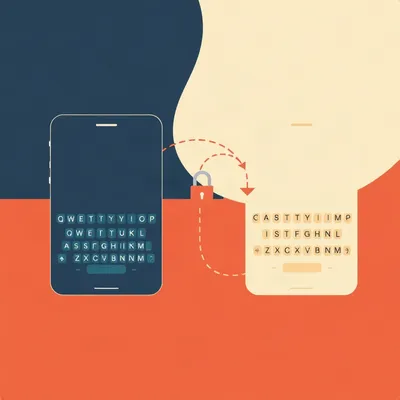
Let's talk about Daniel's ideal scenario. He loses his phone at a bar. He remotely triggers a lost mode. The phone locks, displays a QR code that says "this phone is lost, scan to notify owner." If a good Samaritan scans it, they get a way to contact him — maybe it opens a web form, or an email, or a phone call. If nobody scans it after three days, he remotely wipes it. Does anything on the market do all of that?
Not in a single polished package that I'm aware of. But you can approximate it. With Cerberus, you'd lock the phone and display a message with your contact info. You could include a link — Cerberus supports displaying a custom message, and if you include a URL, it's technically clickable if the phone is unlocked, but on the lock screen it's just text. The finder would have to manually type it. With Google's Find My Device, you can lock the phone and display a message and a phone number right on the lock screen. That's actually the simplest path — it's built in, it's free, and the message is prominently displayed. But neither generates a QR code.
The QR code lock screen is a genuine gap in the market. Someone should build that. It seems doable — you'd need an app with device administrator permissions that can overlay a custom lock screen with a dynamically generated QR code when it receives a remote trigger. The QR code encodes a URL that goes to a service where the finder can submit a message or see contact info.
The technical challenge is that Android's lock screen overlay permissions are tightly restricted for security reasons. You can't just draw over the lock screen the way you can over apps. Device administrator and device owner APIs give you some control — you can set a lock screen message, but you can't render arbitrary UI elements like a QR code. To do what Daniel wants, the app would need to be set as the device owner, which usually requires it to be installed during initial setup or via NFC provisioning. That's a lot of friction for a consumer app. Alternatively, the app could use the notification system to display a persistent notification with a QR code, but that only works if the phone is unlocked. On the lock screen, notifications are limited to what the system allows.
It's not impossible, but it's not something a casual app developer can ship on the Play Store without jumping through hoops. That explains why it doesn't exist as a polished product.
There's another approach that some custom ROMs have experimented with — embedding contact info into the lock screen itself as part of the system UI. LineageOS had a feature where you could set an owner info message that displayed persistently. But again, that's not something you can just install as an app. The closest thing I've seen in the commercial space is an app called Prey, which is more enterprise-focused. Prey has a lost mode that can display a message, and it supports multiple platforms — Android, iOS, Windows, Mac. But it also doesn't do the QR code.
Daniel's other question was about the safety profile of delaying a wipe. If you leave the phone locked but not wiped for three days, what's the actual risk?
It depends on the phone's encryption state and lock screen security. Modern Android phones, since Android seven or so, are encrypted by default with file-based encryption. The encryption key is derived from the user's lock screen PIN or password. If you have a strong PIN — six digits or more — and the phone is locked, the data is effectively inaccessible without that PIN. The attacker can't pull the storage chip and read it because it's encrypted. They can't brute-force the PIN because Android has rate limiting and escalating lockout timers. After too many failed attempts, the phone can be configured to wipe itself, though that's usually optional.
A locked, encrypted Android phone with a strong PIN is a brick to an attacker, even if they have physical possession for days.
For most attackers, yes. A sophisticated adversary — a state actor, a forensics lab — might have tools to exploit vulnerabilities or do chip-off attacks with specialized equipment. But Daniel's threat model is a phone left at a bar, not a targeted attack by a nation-state. For the bar scenario, a locked phone with a six-digit PIN is essentially secure. The bigger risk is if the phone was unlocked when lost, or if the lock screen is something trivial like a swipe pattern that's easy to guess. Daniel said his phone is locked, so the data is protected even if he delays the wipe.
That's worth emphasizing because a lot of people don't realize how good modern phone encryption is. It's not like a laptop from twenty twelve where pulling the hard drive gave you everything.
File-based encryption on Android means each file is encrypted with a unique key, and those keys are wrapped by the user's credential. Even the system can't read user data until the user unlocks the device after boot. That's why after a reboot, your phone asks for your PIN before it'll even show notifications — it literally cannot decrypt them yet.
Daniel can afford to wait a few days before nuking the phone. The data is safe. The real risk is that someone finds the phone, it's locked, they can't do anything with it, and they just toss it or sell it for parts. The QR code or lock screen message is about preventing that outcome — giving the finder a path to return it.
There's one more feature worth mentioning that Daniel might not be aware of. Google's Find My Device now supports marking a device as lost, which does several things at once — it locks the device, signs out of your Google account on the device, displays your contact message, enables location tracking, and activates the offline finding network. It also suspends Google Pay cards on the device. That's a one-tap solution from the Find My Device web dashboard. It doesn't wipe, so it preserves the return path. You can wipe later if you need to.
That's probably the closest thing to Daniel's ideal workflow right now. One tap, the phone is secured but still returnable, and you can escalate to wipe if recovery fails.
It's free. Cerberus is great for the power user features like stealth photos and SIM change alerts, but for the core use case — I lost my phone, I want it back, I want my data protected — Google's built-in tools have gotten good.
Let's talk about the pre-loss preparation, because Daniel mentioned the sticker or QR code on the back of the phone. That's a low-tech solution that actually makes a lot of sense.
It does, and there are companies that sell these. You can get engraved metal stickers with a QR code that links to a profile where someone can report your phone found. The service sends you an alert. It's basically a physical version of what Daniel wants on the lock screen. The limitation is that the sticker is on the outside of the phone, so if the phone is in a case, it might not be visible. Daniel mentioned he keeps his phone in a case, so he'd need the sticker on the outside of the case, or a case with the QR code printed on it. That exists — there are custom case makers who'll print a QR code and a message like "If found, scan to return" right on the back.
That's actually clever because it works even if the phone is dead. A lock screen QR code only helps if the phone has power. A physical sticker works indefinitely.
The battery is the single point of failure for any software-based recovery solution. If the phone dies, no lock screen message, no GPS tracking, no remote wipe. A sticker is permanent. It's also immediately visible to anyone who picks up the phone — they don't have to wake the screen or interact with the device at all.
The belt-and-suspenders approach would be a physical QR sticker on the case plus Find My Device or Cerberus for the software side. The sticker handles the good Samaritan case, the software handles tracking and remote wipe.
Daniel could set the lock screen message to reference the same contact method. So the finder sees it on the case, sees it on the lock screen, and has multiple paths to reach him.
There's also a privacy consideration with the physical sticker. If the QR code links to a profile with your contact information, anyone who sees your phone in public can scan it and get your name and phone number or email. That might be fine — it's not that different from a luggage tag — but it's worth thinking about.
Some of these services let you control what's visible. The QR code resolves to a page that lets the finder send you a message without revealing your contact info. The service relays the message to you. So you're not putting your phone number on the back of your phone for anyone to scan.
That's a better design. It's basically an anonymous relay. The finder scans, types a message, hits send, and you get an email or push notification. Then you can choose to respond and coordinate the return.
There are a few companies doing this — ReturnMe and Tile both have QR code sticker products. Tile's version integrates with their finding network, so the sticker itself has a Tile tracker embedded. But you're paying for the hardware and the service. A simple static QR code sticker from a company like Sticker Mule costs a few cents and lasts years.
Let's circle back to backups, because Daniel's point about set-and-forget is the crux of the whole thing. If the backup process requires ongoing attention, it's not going to happen. What's the closest thing to a set-and-forget full backup on Android right now?
Honestly, the closest thing is not on Android at all — it's switching to a phone that takes backups seriously. But since Daniel is committed to Android, the best practical approach I've seen is a combination of three things. One, Google One backup for the basics — it covers app data for apps that support it, SMS, call history, device settings, photos and videos. Two, a separate cloud sync for files — FolderSync or even just Google Drive's auto-sync for documents and downloads. Three, a periodic manual backup using ADB for the apps that don't support cloud backup. You'd run a script on your computer once a month that pulls the data directories for your critical apps via ADB backup. It's not set-and-forget, but once a month is manageable.
What about apps that store their data in the cloud natively? A lot of the apps Daniel probably uses — note-taking apps, password managers, to-do lists — already sync their data to their own servers.
That's a really important point. If an app has its own cloud sync, you don't need to back it up at all — the data lives on the company's servers. Your password manager syncs to its cloud. Your notes app syncs. Your email is on the server. The apps that need backup are the ones that store data only locally — and those are increasingly rare. Most well-designed apps have moved to cloud-synced models because users expect their data to survive a phone switch. So the backup problem is actually smaller than it seems. Daniel might only have a handful of apps that are truly local-only and need special attention.
That's a good reframe. The apps that don't sync are the exception, not the rule. Identify those five or six apps, make sure you have a plan for them, and the rest takes care of itself.
Some of those local-only apps have their own export feature. Like Daniel mentioned, well-made power user apps often include a backup or export option. The problem is remembering to use it. But if you only have to remember for five apps instead of thirty, that's a lot more realistic.
Daniel also mentioned that he's been deterred from buying decent Androids because he doesn't trust himself not to lose them. The backup and recovery picture we've painted suggests that losing a phone isn't catastrophic if you've got the right prep in place. You lose the hardware, but your data survives, and you can be back up and running on a new device fairly quickly.
The RTO — recovery time objective — on Android has gotten much better. Google's setup wizard now offers to restore from a previous device, and it can pull apps, settings, and data from your Google One backup. It's not as seamless as Apple's iCloud restore, but it's close. The main friction is that some apps will require you to sign in again, and some won't restore their data. But the core experience — contacts, photos, messages, call history, Wi-Fi passwords, app list — comes back automatically. You can go from unboxing a new phone to being operational in under an hour.
The advice to Daniel is basically: one, enable Google One backup and make sure it's running. Two, for apps that don't sync to the cloud, identify them and set a calendar reminder once a month to do a manual export or ADB backup. Three, use Find My Device or Cerberus for tracking and remote lock, and configure the lock screen message with contact info. Four, consider a physical QR code sticker on the case as a low-tech backup for the good Samaritan scenario. Five, use a strong lock screen PIN so you can afford to delay a remote wipe.
Six, if Cerberus is working for him, keep using it. The SIM change alert and stealth photo features are useful in a theft scenario, which is different from a loss scenario. In a theft, you want to catch the thief. In a loss, you want to help the finder return it. Cerberus handles both.
There's one more thing I want to touch on. Daniel mentioned that the last time he lost a phone for real was about ten years ago, but he misplaces it around the house constantly. That's not a backup problem, it's a finding problem. And there are solutions for that too.
The in-house finding problem is actually solved better than the lost-in-the-wild problem. If you have a smart speaker or a smart display, you can just say "Hey Google, find my phone" and it'll ring it at full volume even if it's on silent. That's been a feature for years and it works flawlessly. You can also go to the Find My Device website and ring it from there. If you have a Wear OS smartwatch, there's usually a find-my-phone button right on the watch. So the five-times-a-day around-the-house thing is a solved problem.
Unless the phone is face down and the ringer is muffled. Then you're still crawling around listening for the vibration.
That's when you make someone else call it. Or you get a smartwatch and use the find-my-phone feature that plays a loud tone regardless of silent mode. The watch vibrates when the phone disconnects via Bluetooth, so you even get an alert if you walk away from it.
Daniel's story about the restaurant is a good case study in why these tools matter. He called the restaurant, they said no phone here, he checked the tracking app, saw the GPS was still at the restaurant, went back, found it under his seat. Without the tracking app, he would have assumed it was gone and bought a new phone. The app paid for itself in that one incident.
That's the thing about these services — they feel like an unnecessary subscription until the day you need them, and then they're the best five euros you ever spent. The math is straightforward. If a tracking app costs five euros a year and it saves you from buying a new phone once every ten years, you're paying fifty euros to avoid an eight hundred euro purchase. That's a sixteen-to-one return on investment.
When you put it that way, not having a tracking app is the irrational choice.
It's an insurance policy where the premium is five euros a year and the payout is a phone. The expected value is massively positive.
To answer Daniel's core question directly — does an app exist that does the full QR code lock screen plus delayed wipe workflow? The QR code on the lock screen is a gap. But you can get very close with a combination of Google's Find My Device for the lock-screen message and remote management, Cerberus for the advanced anti-theft features, and a physical QR sticker for the good-Samaritan path. The security profile of delaying a wipe is fine as long as you have a strong PIN and modern encryption.
On the backup side, the honest answer is that Android's backup story is still incomplete for power users who care about app data. But the practical impact is smaller than it seems because most important data lives in the cloud already. For the apps that don't, a monthly manual backup routine is the best we've got.
It's not the seamless set-and-forget experience Daniel wants, but it's workable. And the fact that he's asking these questions means he's already ahead of most people.
Most people don't think about phone loss until they're standing in a bar parking lot at one in the morning patting their pockets. Daniel's thinking about it on a Wednesday afternoon with his phone safely on his desk. That's the right time to think about it.
Now: Hilbert's daily fun fact.
Hilbert: In the nineteen-tens, a Russian expedition to the Yamal Peninsula reported that the indigenous Nenets people measured distance not in miles or kilometers but in "reindeer rests" — the distance a reindeer can travel before needing to lie down, roughly six kilometers. Converting modern GPS coordinates into reindeer rests would require dividing by six and hoping the reindeer wasn't feeling lazy.
I have so many questions about reindeer motivation.
That's going to stick with me in a way I'm not entirely comfortable with.
This has been My Weird Prompts. If you've got a question like Daniel's — something that's been rattling around in your head about how technology actually works in the real world — send it over. We're at myweirdprompts.
Thanks to our producer Hilbert Flumingtop, and we'll catch you next time.