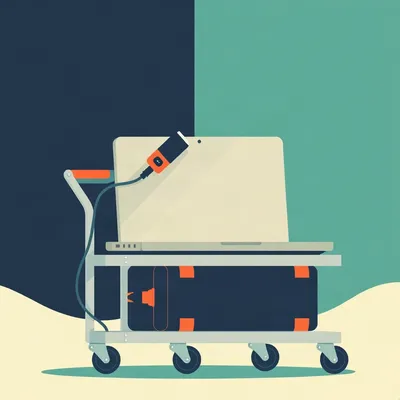
Daniel sent us this one — and I have to say, the moment I read it I felt a very specific kind of dread. You know the kind where you're staring at a pile of USB cables, four hubs, three monitors, and you realize you have to do this all over again for the sixth time in a decade.

I feel this in my bones. Every move, the workstation teardown is the thing that breaks you. Not the couch, not the kitchen boxes — it's the USB hub spaghetti under the desk that makes you question every life choice. And the worst part is that moment when you're lying on your back with a headlamp, trying to figure out which of the twelve identical black cables actually goes to the thing you need to unplug, and you just think — there has to be a better way to do this.
There's a specific kind of despair in that moment. It's not the big existential dread of moving house — it's the small, granular dread of realizing you built your entire productivity setup on a foundation of zip ties and hope. And the thing is, the solution Daniel's circling — getting the desktop physically away from the workspace, tucking it in a closet or a cabinet — that used to be a fantasy. You'd try it with long cables and everything would fall apart. Signal degradation, dropped connections, monitors flickering. But something's shifted.
It really has. USB4 and Thunderbolt 5 are pushing 40 to 80 gigabits per second over longer distances now. PCIe Gen 5 risers have gotten affordable. The technical barriers to hiding a desktop in a closet have basically collapsed. The components exist. Most people just don't know they exist. It's like we're all still treating computers like they need to be within arm's reach, and meanwhile the technology to put them in a different room has quietly matured without anyone making a big announcement about it.
That's the gap, right? The gap between what's technically possible and what people know is possible. So what Daniel's really asking — beyond "what PCIe card should I buy" — is whether there's a whole category of gear designed for this exact problem. Extending peripherals away from the compute box so the desk stays clean, the cables stay manageable, and the next move doesn't take 45 minutes of groveling under a desk with a headlamp.
The answer is yes, there is a category. It doesn't have a great consumer-facing name yet, which is part of why people don't know about it. If you walk into a big-box electronics store, there's no aisle labeled "desk decluttering infrastructure." You have to know the individual product names and piece it together yourself. But we're going to give it one today.
So let's break down what's actually going on here — because this isn't just about USB ports, it's about the entire philosophy of where your computer lives.
Let's name the problem first. What the prompt describes — four USB hubs, three monitors, a desktop under the desk, and a 45-minute teardown every move — that's not a cable management problem. It's a desktop architecture problem. The computer is treated as furniture when it should be treated as infrastructure. Think about it this way: nobody puts their water heater in the living room because it's convenient to look at. Nobody puts their electrical panel next to the couch. We put infrastructure in closets and utility rooms, and we run pipes and wires to the points of use. But with computers, we've normalized this idea that the noisy heat-generating box has to live right next to your legs.
A headless compute node, not a desk ornament. The prompt uses the phrase "plug-and-play" and "modular" and "logically connected" — and that's exactly the right framing. The goal is to make the workstation something you connect to, not something you sit next to. It's the difference between a landline phone bolted to the kitchen wall and a smartphone in your pocket. One is a fixture, the other is a service you access.
The three solutions the prompt floats — a PCIe USB card, long active USB cables, or full desktop relocation with long display cables — those sound like three separate ideas. But they're not. They're points on a single spectrum.
How far you're willing to push the compute box away from your body. The PCIe card is zero meters — more ports, same location. The active USB cables are maybe two to five meters — hubs move, desktop stays. Full relocation is five to fifteen meters — everything moves except the peripherals. Same goal, different distances.
It's desktop disaggregation. You're pulling the brain away from the senses and running a nervous system of cables between them. And the nervous system analogy is actually pretty apt, because in a body, the brain isn't sitting right behind the eyes — it's tucked away in a skull, protected, and all the sensing happens at the periphery and sends signals back. We've just been building computers backward.
That's the phrase. And the reason it hasn't gone mainstream isn't technical — it's cultural. Most people buy pre-built PCs and never think about cable topology as a design variable. They accept the default: tower under desk, cables everywhere, deal with it. It's the same reason most people don't reorganize their kitchen workflow — the cabinets came with the house, so that's where the plates go, even if it means walking across the room every time you unload the dishwasher.
If you buy a Dell from a website, the cable topology question never appears. Nobody asks "where would you like the compute to live relative to your body?" It's just assumed the box goes within arm's reach. The purchase flow doesn't even have a checkbox for "I'd like to put this in a different room." And yet the capability is there.
Once you question that assumption, a whole category of gear opens up. Optical DisplayPort cables, active USB extenders, Thunderbolt docks that live on the desk while the machine lives in a closet. The prompt is basically asking "what's the name for this stuff and how do I shop for it?" It's like asking "what's the word for those things that let you cook food with electromagnetic radiation" and the answer is "microwave" — once you have the name, a whole world opens up.
Which is exactly what we're going to map out.
The listener proposed three solutions. Let's start with the one that seems simplest but might be the most deceptive: the PCIe USB card.
The "just add more ports" approach. It's tempting because it's familiar — you open the case, slot in a card, and suddenly you've got seven more USB ports staring at you. It feels like solving the problem because you're doing something tangible with the hardware.
Technically it works. A PCIe x4 slot — that's four lanes — gives you 4 gigabytes per second of bandwidth on PCIe 3.0, or 8 on PCIe 4.You drop in a card with an ASMedia ASM3142 controller, and you get four USB 3.2 Gen 2 ports, each capable of 10 gigabits per second. There's also the Renesas uPD720202 if you want a different chipset. These are real, well-engineered products.
There's a catch you can already smell.
First, all four ports share a single 10 gigabit upstream link to the PCIe bus. So if you plug in four external SSDs and try to hammer them simultaneously, they're fighting over that pipe. It's not four independent 10 gigabit lanes — it's one lane with a splitter. It's like having a four-lane highway that merges into a single lane right before the bridge. Sure, you've got four lanes on your side, but they all bottleneck at the same point.
It's like adding a four-way stop sign to a highway and calling it more roads.
That's exactly what it is. The second catch is the bigger one for this specific prompt: the card doesn't move the desktop. You're still tethered. You've got more ports on the same box under the same desk making the same noise and heat. The prompt explicitly says the desktop is "creating clutter by being right beneath where I'm working." A PCIe card solves port count and nothing else. It's adding more shelves to a bookcase that's already in the wrong room.
It's the zero-meter solution on your spectrum. More connectivity, zero disaggregation. And I think for a lot of people, that's actually the right answer — if your only problem is "I don't have enough USB ports," a 40-dollar card solves it perfectly. But Daniel's problem isn't port count. He's got four hubs. He's got ports. His problem is that the computer is in the wrong physical location.
Which brings us to Option B — the first real step toward pushing the compute away: active USB extension cables.
Here's where I think most people get burned, because they grab a long USB cable off Amazon, plug it in, and suddenly their webcam is stuttering or their external drive won't mount. What's actually breaking?
It's the physics of differential signaling. 0 runs at 5 gigabits per second, which means the signal is switching at extremely high frequencies. As the cable gets longer, you get capacitance building up — the cable itself starts acting like a capacitor, rounding off those sharp signal edges. You also get timing skew between the two wires in the differential pair. The spec says 3 meters max for passive USB 3.0, and that's not a suggestion — it's a physics limit. It's like trying to shout a conversation across a football field. At some point, the words just become noise.
What's inside an "active" cable that makes it different?
A redriver chip. Something like the Texas Instruments TUSB1002A or the Parade PS8821. These sit inline, usually in a small bulge near the connector, and they do exactly what the name says — they reshape the signal. They clean up the edges, restore the voltage levels, and retransmit. Think of it as a miniature repeater station. It's like having someone in the middle of that football field who hears your shout and repeats it at full volume to the person on the other end.
That buys you how much distance?
For USB 3.2 Gen 1 at 5 gigabits, active cables can reliably reach 10 to 15 meters. For Gen 2 at 10 gigabits, you're usually capped around 5 meters before things get dicey. And then there's the premium tier — Corning makes an optical USB-C cable that converts the electrical signal to light, runs it through fiber, and converts back. Thirty meters, full 10 gigabit speed. But it costs north of a hundred dollars. So you've got this trade-off curve: distance versus speed versus cost, and you can only pick two.
A 20-dollar active USB 3.0 cable at 10 meters might work fine for a keyboard and mouse, but plug in a high-bandwidth device and it could silently drop to USB 2.0 speeds — 480 megabits instead of 5 gigabits. Most people wouldn't even notice until something starts lagging.
That's the silent failure mode that makes this whole category tricky. The cable doesn't stop working — it just degrades gracefully in a way that's hard to diagnose. You're suddenly getting stuttering on a webcam and you blame the webcam when it's actually the cable negotiating down. It's the USB version of a car that can't go above 40 miles per hour but doesn't tell you why — you just think the highway feels slow today.
That silent degradation is almost worse than a hard failure, because a hard failure you can troubleshoot. A cable that works, but works badly, just sits there gaslighting you.
Which brings us to Option C, the full send. Desktop in a closet, nothing on the desk except monitors and a single hub.
This is where I want to pause and really imagine what this looks like in practice. You walk into your office. There's a desk. On the desk are three monitors on arms, a keyboard, a mouse, and one small hub. That's it. No fan noise. No heat washing over your legs in the summer. The actual computer is in a closet down the hall, or in a cabinet built into the wall, or — as we saw in one documented build — in a basement two floors down. You sit at the desk, and the experience is identical to having the computer right there, except quieter and cooler and cleaner.
This is where the category really opens up, because now you're running three parallel systems. You need optical DisplayPort 1.4 cables — these run 30 meters at 32.4 gigabits per second, enough for 8K at 60 hertz. They cost somewhere between 80 and 150 dollars each, and they're the only reliable way to push high-resolution video beyond about 3 meters without signal loss. The fiber inside these is literally glass — they're converting electrical DisplayPort signals to light pulses and back again. It's the same principle as the fiber internet coming into your house, just repackaged for video.
Three monitors at 1440p, 60 hertz — that's three optical DP cables. Already a line item.
Second system is USB. And here the prompt's situation gets interesting, because the listener has four hubs. In a relocated setup, you don't run four long USB cables — you run one, to a single high-quality hub on the desk. Something like a CalDigit TS4 with 18 ports. Then you connect that hub to the closet desktop via a single active USB-C cable or a USB-over-Cat6 extender. You're collapsing four messy branches into one clean trunk line.
USB over Cat6 — that's a whole different approach, right? You're not extending USB directly, you're encapsulating it over Ethernet.
Companies like Icron and Lindy make extenders that take USB traffic, packetize it, send it over standard Cat6 cable up to 100 meters, and reconstruct it at the other end. The tradeoff is bandwidth — most of these top out at 480 megabits per second, which is USB 2.Fine for peripherals, terrible for external storage. So you have to ask yourself: what's actually plugged into these hubs? If it's keyboards, mice, webcams, audio interfaces — USB 2.0 is plenty. If you're running external NVMe drives, you need the active USB-C cable instead.
You're trading speed for distance. And the third system?
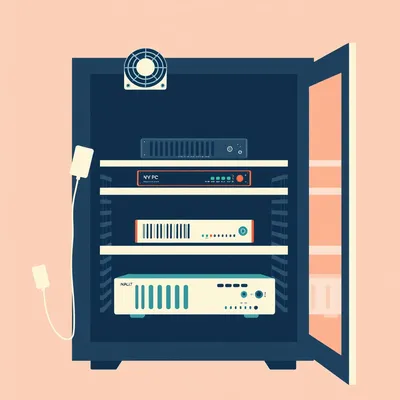
Which the listener already solved with an external power button, so that's done. But in a closet setup you also need to think about ventilation — a desktop pumping 400 watts into a sealed closet will thermal-throttle in minutes. You need at least a 120-millimeter intake and exhaust fan, ideally something like the AC Infinity AIRCOM T8 with a temperature controller. That's another hundred dollars.
Let me put a real-world case on this. There's a build documented on the Workspaces subreddit — someone hid an RTX 4090 rig in a basement closet using a 15-meter optical DisplayPort cable and a 10-meter active USB 3.They reported zero perceptible latency in gaming. The machine was two floors away. That's not a workstation anymore — that's a remote compute node that happens to be in the same building.
That's the proof point that makes this whole thing viable. If you can game on a machine in a basement, you can absolutely run a workstation from a closet. The latency over optical DisplayPort is measured in nanoseconds — it's not a factor. Light travels about 30 centimeters in a nanosecond. A 15-meter cable adds maybe 50 nanoseconds of latency. Your monitor's pixel response time is measured in milliseconds — thousands of times slower. The cable is not your bottleneck.
The listener's current setup — four hubs, three monitors, desktop under the desk, 45-minute teardown — versus the disaggregated version: desktop in a ventilated closet, single CalDigit TS4 on the desk, monitors on arms, everything running through one active USB cable and three optical DP cables. Takedown for a move becomes unplug the hub, unplug the monitors, done. Maybe three minutes. You don't even need the headlamp.
The cost for that transformation — we'll get into exact numbers later — but it's in the 400 to 500 dollar range for cables and hub, plus ventilation. That's less than a mid-range laptop upgrade, and it's a one-time investment that survives every move. Those cables don't wear out. The hub doesn't become obsolete. You move apartments, you take the cables with you, you plug them in again. Same setup, new location.
The PCIe card is the cheapest option and it solves exactly one problem. The active cables solve two. The full relocation solves all of them, but at a cost and complexity that makes people nervous. The question isn't which one is "best" — it's which tradeoffs match your tolerance for cable topology as a design variable.
I think that's the phrase the listener was searching for. This whole category — optical DP cables, active USB extenders, Thunderbolt docks, USB-over-Cat6 — it's peripheral extension infrastructure. The gear that lets you treat your desktop as a headless compute node instead of a piece of furniture.
We've covered the components. But here's where it gets interesting — the knock-on effect that most people don't think about until they're staring at a closet full of cables and wondering why their machine sounds like a jet engine.
The thermal problem. You shove a desktop into a closet, close the door, and suddenly you've built an oven. A 400-watt space heater running benchmarks in a sealed box. And it's not like a PC case where the fans can pull cool air from the room — you've put the whole room inside a smaller room, and that smaller room has no airflow.
It's not gradual. I've seen thermal tests where a desktop in an unventilated closet hits thermal throttle in under ten minutes. The GPU clocks down, the CPU follows, and your workstation turns into a very expensive room heater that can't actually do work. You need active airflow — minimum one 120-millimeter intake and one exhaust, ideally with a temperature-controlled switch so it's not running full blast when the machine is idle. And here's a detail people miss: you want the intake low and the exhaust high, because heat rises. Pull cool air in at floor level, push hot air out near the ceiling. It's basic thermodynamics, but it's the difference between a closet that works and a closet that cooks.
This isn't a "drill some holes and hope" situation. You need directed airflow. I've seen people try to solve this with a passive vent grill, just a hole in the door with a decorative cover, and it doesn't work because there's no pressure differential moving the air. You need fans.
The AC Infinity AIRCOM T8 is the ready-made solution — it's a hundred dollars, sits on top of the machine or in the rack, has a digital thermostat, and ramps fans up and down based on actual temperature. It's designed for exactly this use case. You set it to, say, 30 degrees Celsius, and it handles the rest. The fans spin up when you're rendering, spin down when you're reading email. You forget it exists.
Ventilation is a line item, not an afterthought. The other second-order thing I keep coming back to is that you're not just running one long cable — you're running three entirely different species of cable, and they don't play by the same rules.
This is where the cable management taxonomy becomes genuinely useful. I think about it in zones. Zone one is power — your C13 and C5 cables. These are dumb copper, practically unlimited length for our purposes. A 5-meter C13 power cable costs eight dollars. It's the cheapest zone by a mile. Zone two is data — USB, DisplayPort, Thunderbolt. These are your high-bandwidth differential pairs, and every meter costs you signal integrity. A 5-meter optical Thunderbolt 4 cable is 200 dollars. Zone three is control — power button, reset switch. These are simple contact closures, basically free to extend. You can solder a doorbell wire to a momentary switch and run it 30 meters with zero issues.
You've got an eight-dollar zone, a 200-dollar zone, and a free zone. And the listener's whole project lives or dies on the data zone. That's where the budget goes, and that's where the engineering challenges live.
And that's what makes the PCIe USB card option the weakest of the three for the actual stated goal. The prompt says the desktop is "creating clutter by being right beneath where I'm working." A PCIe card adds ports. It does not move the box. It solves the port count problem and nothing else.
It's the zero-meter solution on a problem that's fundamentally about distance. It's like someone saying "my car is too loud in the driveway" and you offer them a better stereo. Technically an improvement, completely missing the point.
The strongest solution for this specific setup is a hybrid. You relocate the desktop to a ventilated closet or cabinet. You run three optical DisplayPort 1.4 cables — at 5 meters each, those are roughly 60 dollars apiece, so 180 total. You put a single high-quality hub on the desk — a CalDigit TS4 at 360 dollars, which gives you 18 ports including three Thunderbolt 4, five USB-A, three USB-C, and 2.5 gigabit Ethernet. That one hub replaces all four of the existing USB hubs. Then you connect that hub to the closet desktop with a single 5-meter active USB-C cable, about 50 dollars.
The math comes out to roughly 400 to 500 dollars in cables and hub, plus another hundred for ventilation. Call it 600 at the high end. That's less than a new desk. It's less than a mid-range laptop upgrade. And the prompt used the phrase "sensible ergonomics investment" — which is exactly what this is. You're not buying a toy, you're buying a decade of easier moves and a cleaner workspace.
Here's the thing — it's a one-time cost that pays off on every single move. Next apartment, you unplug one USB-C cable, three DisplayPort cables, one power cable. That's five connections. Versus the current setup of four hubs, three monitors, and a tangle of USB cables that takes 45 minutes to dismantle. If you move six times in ten years, that's 45 minutes times six — four and a half hours of your life spent groveling under a desk. The 600 dollars buys you those hours back, plus the daily benefit of a clean desk and a quiet room.
The category name the listener was searching for — I think we've landed on it. Or headless workstation architecture if you want to sound like you're selling enterprise solutions.
The industry term is "peripheral extension solutions," which is the kind of phrase that makes you want to take a nap. It sounds like something you'd find in a beige PDF from 2003. But it's a real and growing market. The work-from-home shift and the small form factor PC community on places like the SFF subreddit have driven a lot of innovation here. People are building in cases like the Fractal Design Ridge or the Cooler Master NR200 and running cables through walls. There's one build I saw that used a 10-meter optical USB-C cable to connect a CalDigit TS4 to a desk three rooms away from the machine. The builder had to fish cables through a crawlspace.
That's not a workstation anymore — that's a remote terminal with a really, really fast connection to the compute. And that builder probably spent a weekend in a crawlspace, but now they have a completely silent office with a machine humming away in a utility room somewhere. That's the dream.
That's the comparison worth making. A laptop with a Thunderbolt dock — say a Lenovo ThinkPad plus a CalDigit TS4 — gives you a clean desk and easy mobility. But you're limited to laptop-class GPU power and laptop thermals. The desktop disaggregation approach is more complex to set up, but you get full desktop performance. RTX 4090 in a closet, silent desk, no compromises on compute. It's the difference between a sports car and a semi truck — one is convenient, the other can pull a house.
The laptop-dock route is the "I want this to work in 20 minutes" solution. The desktop disaggregation route is the "I want this to work for the next decade and six moves" solution. Different tradeoffs, same goal. And I think that's the real question Daniel needs to answer for himself — not "which cable should I buy," but "what's my tolerance for setup complexity versus long-term convenience?
I think that's what ties this whole discussion together. The listener asked if there's a name for this category. There is now. The art of treating your computer as infrastructure, not furniture. Once you make that mental shift, the shopping list becomes obvious. It's not about which USB hub to buy — it's about building a nervous system for your workspace.
Alright, let's cut through the noise. Here's exactly what the listener should buy and do, step by step.
For the specific situation — six moves in ten years, three monitors, four USB hubs — the optimal path is full relocation. Desktop goes into a ventilated closet or a cabinet with airflow. You run three optical DisplayPort 1.4 cables at 5 meters each, roughly 60 dollars per cable, 180 total. You put a single active USB 3.2 Gen 2 hub on the desk — something like the CalDigit TS4 at 360 dollars, which replaces all four existing hubs. Connect that hub to the closet desktop with a 5-meter active USB-C cable, about 50 dollars. Keep the external power switch they already have. Total cost: around 600 dollars with ventilation.
For someone listening who has fewer peripherals — maybe one monitor, a keyboard, a YubiKey and a webcam — you don't need the full optical cable armada. A Thunderbolt 4 hub like the OWC Thunderbolt Hub at 140 dollars, connected via a 2-meter passive Thunderbolt 4 cable, handles everything including display pass-through via MST. No active extension needed. It's the laptop-dock model applied to a desktop. Same philosophy, smaller scale.
Then there's the PCIe USB card. I want to be clear — it's not a bad product. If your desktop is staying on the desk and you just need more ports, an ASMedia-based card at 40 dollars solves that problem cleanly. But if the goal is desk decluttering and faster move teardowns, skip the card. Put that 40 dollars toward the active cable budget instead. Don't optimize the wrong variable.
The shopping list, if you're going full disaggregation: three optical DisplayPort 1.4 cables at 5 meters, one active USB-C 3.2 Gen 2 cable at 5 meters, one Thunderbolt 4 dock with at least 12 ports, and one AC Infinity AIRCOM T8 for the closet. That's the build. Everything else is just plugging things in.
The PCIe card is the "I'm not moving the computer but I need more ports" option. Different tool, different job. It's a hammer when you need a moving truck.
That's the practical path. But I want to leave you with a bigger question about where this is all heading. USB4 version 2 and Thunderbolt 5 are expected to land in consumer hardware around 2027 or 2028, pushing 80 gigabits per second. The question is whether active optical cables will follow the same cost curve as regular fiber — dropping from "specialty pro gear" to "something you grab at the electronics store" — or whether they stay expensive because the market for 15-meter Thunderbolt remains niche. Fiber internet used to be exotic and expensive, and now it's in everyone's home. Could the same thing happen with peripheral extension?
The counter-current is wireless. Wi-Fi 7 is already pushing multi-gigabit speeds. 60 gigahertz WiGig has been hovering at the edges for years, promising wireless display and docking with no cables at all. If that matures, the whole desktop disaggregation problem just evaporates — your compute lives wherever, and your desk connects to it over the air. No cables, no crawlspaces, no ventilation math.
Though I'm skeptical. Wireless has been "about to eliminate cables" for 20 years, and I'm still staring at a power strip. Every wireless technology that promised to free us from cables has either under-delivered on bandwidth or introduced enough latency to make it unusable for anything beyond basic office work. I'll believe in the wireless desktop when I can game on it without noticing.
But the trend is real. What the prompt is really describing — this desire for a plug-and-play workstation that survives moves without a 45-minute teardown — it's a microcosm of something bigger. The decoupling of compute from location. As optical USB and DisplayPort cables get cheaper, the desktop-in-a-closet setup could become as normal as the laptop-with-a-dock setup is today. You don't sit next to your server. Why sit next to your workstation? The server is in a data center somewhere. The workstation could be in a closet. The only thing that needs to be at the desk is the stuff you actually touch.
The computer as appliance, not companion. Plug in, sit down, forget the box exists. It's the dishwasher model of computing — you don't think about the dishwasher until it's broken, and you certainly don't put it next to your couch.
If you've tried desktop disaggregation — or if you've got a cable routing horror story involving drywall, fiber optics, and a very confused electrician — we want to hear about it. Email us at weirdprompts at example dot com. We're curious how many people have already stumbled into this solution without knowing there was a name for it.
This has been My Weird Prompts. Thanks to our producer Hilbert Flumingtop for making this whole thing run.
If you enjoyed this episode, leave us a review wherever you get your podcasts — it helps other people find the show.
Until next time.
And now: Hilbert's daily fun fact.
Hilbert: In the high medieval period, a manuscript from a monastery in present-day Eritrea described a local mineral that glowed blue under sunlight — long attributed to a previously unknown variety of opal, it was corrected in the twentieth century to simple fluorite with europium impurities, the fluorescence having been misread as an inherent property of the stone rather than a trace-element accident. The manuscript's author, a monk whose name survives only in a marginal note, had described the glow as "the color of the sky trapped in earth," which is a rather lovely way to be wrong about geology.