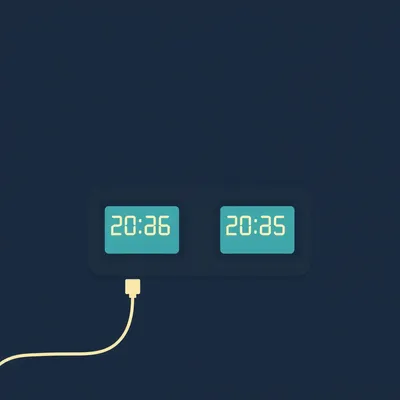
Daniel sent us this one, and I have to say, right out of the gate, it's a good one. He wants to build a clock. Not just a clock — a two-timezone clock. Local time on one screen, Zulu time on the other. He's been wanting this for years, apparently, but the commercial versions run about a thousand dollars, which is a lot of money to know what time it is in two places simultaneously. He wants two small LCD displays, brightness control, powered by USB-C, a proper case so the circuit board isn't just sitting there naked on his desk, and optionally a CR two-oh-three-two battery backup. He's asking us to walk him through the whole thing — parts, tools, build steps — and he frames it around military time synchronization, the Iran situation, the idea that precise time isn't just a convenience, it's operationally critical.

I love this prompt. I genuinely love it. And also, by the way, today's script is being generated by Claude Sonnet four point six, which feels appropriate for a project about precise synchronization.
Okay, the Iran angle — I want to sit with that for just a second, because Daniel is not wrong. When you are coordinating military operations across multiple theaters, across air defense systems, across missile intercepts, the kind of thing that's been very much in the news lately, you are not eyeballing a wall clock. You are working in Coordinated Universal Time, full stop. Everyone on the net is on the same reference. A one-second drift in a targeting system is not a scheduling inconvenience. It is a miss. So the idea that Zulu time — which is just what the military calls UTC, for listeners who haven't encountered the term — the idea that Zulu time matters is not Daniel being dramatic. It is how time-critical operations work.
The beautiful thing about this project is that it's actually a really clean introduction to the ESP thirty-two microcontroller, because the ESP thirty-two has Wi-Fi built in, which means it can sync to an NTP server — that's Network Time Protocol — automatically. You're not manually setting the time. You're not drifting over weeks. The clock reaches out to a time server, gets the current UTC timestamp, and then your firmware does the math to display local time on one screen and Zulu on the other. That's the core of the whole build, and it's elegant.
It is elegant. It is also, I want to point out, something you could approximate with a ten-dollar phone mount and two phone widgets. I'm just saying. That option exists.
It does exist.
Daniel wants a physical clock. A real object. Something that sits on a desk and does one thing and does it well. And honestly, for someone working in tech and communications, where you are frequently thinking across time zones — Jerusalem to wherever — having a dedicated display that doesn't require unlocking a phone, that's not nothing.
That's actually a real workflow improvement. And the thousand-dollar commercial versions exist because the buyers are hotel chains, network operations centers, air traffic control facilities. Those clocks have redundant power supplies, they have hardware watchdogs, they're designed to run for a decade without a restart. Daniel does not need that. Daniel needs a clock that works reliably in his office. The ESP thirty-two is more than capable of that.
Let's get into it. What are we actually building here, and what does it cost?
So the core of this build is an ESP thirty-two development board. I'd recommend the ESP thirty-two WROOM thirty-two variant — you'll find it listed as the ESP thirty-two DevKit V one on most sites. It's the standard workhorse. Roughly four to six dollars on AliExpress, closer to ten to twelve on Amazon if you want faster shipping. This is the brain. It handles the Wi-Fi connection to the NTP server, it runs the firmware, and it drives both displays.
Now Daniel asked about Arduino versus ESP thirty-two. Is that actually a decision he needs to make, or is the answer just ESP thirty-two?
The answer is ESP thirty-two, and here's why. A standard Arduino — an Uno, a Nano — does not have built-in Wi-Fi. You would need to add a separate Wi-Fi module, which adds cost, adds complexity, adds a potential failure point, and you end up spending more money to get a result that's less clean. The ESP thirty-two has Wi-Fi on the chip. For a project that depends on NTP synchronization, which this one does, that's the right starting point. Arduino is a great platform for many things. This is not one of those things.
So ESP thirty-two. What about the displays?
Daniel specified two LCDs, approximately six by two inches, with brightness control. That translates in the component world to a sixteen by two character LCD — sixteen characters across, two rows — which is a very standard form factor. But I want to make a case here for going slightly larger. The two-oh-four LCD, which is twenty characters by four rows, is roughly the same physical footprint — about three by one and a half inches on the display area — and it gives you more room to format the time display nicely. You can show the date on a third row, or the timezone label, without cramping everything.
Is it more expensive?
A sixteen by two LCD with an I squared C backpack — I squared C is the communication protocol that reduces the wiring from about twelve pins down to four, which matters a lot in a clean build — runs roughly two to three dollars on AliExpress. The twenty by four version is maybe a dollar more. Get two of them. Total display cost, six to eight dollars.
Daniel mentioned two to three settings. How do you do that on an LCD?
The I squared C backpack modules that come with these LCDs have a small potentiometer on the back — a little trim pot — that controls the contrast and the backlight intensity. For a fixed installation that's actually fine, you set it once and leave it. But if Daniel wants user-controllable brightness, the clean way to do it is to wire the backlight pin through a transistor and control it with a PWM signal from the ESP thirty-two — that's Pulse Width Modulation, essentially flickering the backlight very fast to simulate dimming. You can then add a physical button that cycles through three brightness levels in firmware. That's maybe an extra dollar in parts — a small NPN transistor, an N two two two two or similar, a resistor, and a momentary push button.
For a few dollars more, he gets actual physical brightness control.
And it makes the finished product feel polished. A clock you can dim for nighttime use is a better clock.
Now Daniel mentioned E-ink as the ideal but said LCD is acceptable. Do we agree with that framing?
I think the framing is right for the wrong reason. E-ink is beautiful for static or slow-updating displays — it has zero power draw when the image isn't changing, and it's readable in direct sunlight. But for a clock, you're updating the display every second. E-ink panels have a refresh rate problem — most of the common ones, your Waveshare two point nine inch panels, for instance, have a full refresh time of around two to three seconds, and they flicker visibly on full refresh. There are partial refresh modes that are faster, but they accumulate ghosting over time and require periodic full refreshes to clean up. For a clock face that's ticking every second, that's a real user experience problem.
LCD is not just acceptable. LCD is actually the better call for this specific application.
For a clock that updates in real time, yes. E-ink would be better if Daniel wanted something that displayed, say, the current date and updated once a day. But for a live clock, stay with LCD.
What about power? He wants USB-C.
USB-C is straightforward. The ESP thirty-two DevKit V one has a micro-USB port on most variants, but there are ESP thirty-two boards coming out now with USB-C directly — the ESP thirty-two S three DevKit C is one option, it's the same price range, eight to twelve dollars, and has native USB-C. Alternatively, you can use any ESP thirty-two board you like and just wire a USB-C breakout board to the five-volt and ground pins. A USB-C female breakout module is about one to two dollars on AliExpress. Either approach works.
The optional CR two-oh-three-two battery backup. That's a coin cell. How does a coin cell keep an ESP thirty-two running?
It doesn't, and that's an important distinction. The CR two-oh-three-two is not going to power the ESP thirty-two and two LCD displays. A CR two-oh-three-two puts out three volts at maybe two hundred milliamp-hours, and the ESP thirty-two alone draws eighty milliamps or more when its Wi-Fi radio is active. You'd drain that coin cell in a couple of hours under full load. What the CR two-oh-three-two is actually good for in this context is powering a real-time clock module — an RTC — which is a separate small chip that keeps track of time even when the main system is powered down. The DS thirty-two thirty-one is the standard recommendation. It's an RTC with a built-in temperature-compensated oscillator, which means it drifts very little — we're talking about one or two minutes per year at room temperature, which is excellent for a standalone chip.
The CR two-oh-three-two keeps the RTC running during a power cut, and when power comes back, the ESP thirty-two reads the time from the RTC instead of having to wait for an NTP sync.
And then the next time it gets a successful NTP sync, it updates the RTC to correct any drift. It's a belt-and-suspenders approach. The DS thirty-two thirty-one module with a CR two-oh-three-two holder is about two to four dollars on AliExpress.
We need a case. Daniel specifically said no exposed circuit boards. What are we putting all of this in?
A few options. The cleanest DIY approach is a small project enclosure — Hammond Manufacturing makes a nice line of ABS plastic enclosures, the one-five-nine-one series in particular has variants around one hundred and fifty by eighty by fifty millimeters, which gives you room for the ESP thirty-two, the RTC module, and wiring, with two rectangular cutouts on the front face for the LCD panels. Those Hammond enclosures run about eight to twelve dollars on Amazon or Mouser. You can cut the LCD window openings with a rotary tool or a sharp craft knife and a drill for the corners.
Or 3D print it.
Or 3D print it, if Daniel has access to a printer. A custom printed case can be designed in FreeCAD or Tinkercad — Tinkercad is free, browser-based, and approachable for someone who hasn't done CAD before — and printed in PLA for a couple dollars of filament. The advantage of a printed case is you get exact cutouts for the displays, exact positioning, and you can add a little shelf or angle to make it sit nicely on a desk. If Daniel doesn't have a printer, there are print services — PCBWay does enclosures, or he can find someone local through a maker community.
What about just buying a project box at a hardware store?
That works too. Any ABS or polycarbonate enclosure in roughly that size range. The tricky part is always cutting clean rectangular holes for the LCDs — that's where a rotary tool with a cutting disc earns its keep.
Let's hold the full assembly steps for a minute. I want to make sure we've got the complete parts list on the table before we get into the build sequence. What are we missing?
You want short jumper wires — female-to-female dupont connectors for connecting the LCD I squared C backpack pins to the ESP thirty-two. A small breadboard is useful during prototyping but won't go in the final case. For the final build you'll want to solder everything to a small piece of perfboard — that's a pre-drilled prototyping board with copper pads — so it doesn't shake loose. Perfboard, about two dollars for a pack. Jumper wire kit, about three dollars. Solder, about four dollars for a small reel of sixty-forty rosin core.
He's going to need a soldering iron.
A basic temperature-controlled soldering iron — the Pinecil is a great option, it's a USB-C powered iron that runs about twenty-five dollars and is excellent quality for the price. If he already has a soldering iron, great. He'll also want wire strippers, a multimeter for continuity testing — a basic one is ten to fifteen dollars — and as I mentioned, a rotary tool if he's cutting a project enclosure.
He needs a computer to flash the firmware.
The ESP thirty-two is programmed through the Arduino IDE — that's the Integrated Development Environment, free to download — with the ESP thirty-two board package installed. There are good libraries for NTP synchronization, the most common being the ESP NTP Client library, and for the LCD over I squared C, the Liquid Crystal I two C library. Both are installable directly through the Arduino library manager. He'll also want the RTClib library from Adafruit for the DS thirty-two thirty-one module.
So let's run the total. I'm going to let you do the math because you enjoy it.
I do enjoy it. ESP thirty-two DevKit, call it ten dollars on Amazon. Two twenty-by-four LCD modules with I squared C backpacks, eight dollars. DS thirty-two thirty-one RTC module with CR two-oh-three-two, three dollars. USB-C breakout board if needed, two dollars. Transistor, resistor, push button for brightness control, under a dollar. Perfboard and jumper wires, five dollars. Project enclosure, ten dollars. Solder and misc consumables, five dollars. That puts you at roughly forty-four dollars for parts, before shipping. If you add a Pinecil soldering iron because you don't have one, add twenty-five. If you 3D print the case instead of buying an enclosure, subtract ten and add a couple dollars of filament.
We're talking forty to seventy dollars all-in depending on what tools you already own. Against a thousand-dollar commercial clock.
Against a thousand-dollar commercial clock. And the commercial clock doesn't teach you how I squared C works.
It really doesn't. Let's actually build this thing.
The first thing Daniel should do — before touching any hardware — is get the firmware working on a bare ESP thirty-two with no displays attached. Flash a basic NTP sketch, open the serial monitor, and confirm he's getting a valid UTC timestamp back from the time server. The NTP pool dot org servers are the standard choice. Once that's working, he knows his Wi-Fi credentials are correct, his board is functional, and the NTP sync is solid. That's the foundation everything else sits on.
Don't skip this step.
Do not skip this step. So many builds go sideways because someone wires up five components and then can't tell which one is causing the problem. One thing at a time.
Add the RTC module. Wire the DS thirty-two thirty-one to the ESP thirty-two over I squared C — that's the SDA pin and the SCL pin, plus power and ground. On most ESP thirty-two DevKit boards, SDA is GPIO twenty-one and SCL is GPIO twenty-two, but check your specific board's pinout diagram, because there are variants. Load the RTClib example sketch, set the time on the RTC from the NTP timestamp you already confirmed is working, and verify that the RTC holds time correctly when you power cycle the board. At this point you've got a working timekeeping core.
Step three, add the displays.
Add one display first. Wire the first LCD module's I squared C pins to the same SDA and SCL lines as the RTC — I squared C is a bus, you can have multiple devices on the same two wires as long as they have different addresses. The standard LCD I squared C backpack address is zero x two seven, but some ship as zero x three F. The I squared C scanner sketch will tell you what address your module is using. Get the first LCD displaying UTC time correctly before you touch the second one.
Then add the second.
Add the second LCD on the same I squared C bus. The firmware then becomes: read UTC from NTP or RTC, display UTC on display one, apply the local timezone offset to get local time, display local time on display two. For Jerusalem, that's UTC plus two in winter, UTC plus three in summer — Israel does observe daylight saving time, so you'll want the timezone offset to be configurable in the firmware or use a library that handles DST rules automatically. The Arduino Time zone library by Jack Christensen is the standard tool for this.
That's a detail that will bite you if you miss it.
It will bite you at two in the morning six months after you built the clock, when you look at it and it's an hour off and you can't figure out why. Use the library.
Where does that go in the sequence?
Once both displays are working, add the brightness circuit. Wire the backlight pin of each LCD through an NPN transistor — the base of the transistor gets a PWM signal from a GPIO pin on the ESP thirty-two through a resistor, the collector goes to the backlight pin, the emitter goes to ground. In firmware, define three brightness levels — say full, fifty percent, and twenty percent — and a button that cycles through them. Each press changes the PWM duty cycle on both display backlights simultaneously. If the displays flicker at low brightness, try increasing the PWM frequency in the firmware — the ESP thirty-two can do this easily.
Then you put it in the case.
Then you put it in the case. Which means measuring and cutting your LCD window openings, test-fitting everything, and then doing a final wiring job on perfboard so nothing is relying on friction-fit jumper connections. Hot glue is your friend for securing the perfboard and the LCD modules inside the enclosure. Leave the USB-C port accessible from the outside.
What's the most common failure mode on a build like this?
First, I squared C address conflicts — if your two LCDs ship with the same address, you need to change one. Some backpack modules have solder jumpers on the back that let you set the address. Check before you buy if you can, or buy modules specifically listed as address-configurable. Second, Wi-Fi credential issues — if Daniel ever changes his router password, the clock will fail to sync and fall back to the RTC, which is fine, but he'll need to reflash the firmware with the new credentials unless he builds in a configuration portal, which is a slightly more advanced step but worth it. The WiFiManager library handles this gracefully. Third, power brownouts — if the USB-C power supply is marginal, the ESP thirty-two Wi-Fi radio drawing current on sync can cause a voltage dip that resets the board. Use a good quality five-volt one-amp power supply minimum. A lot of cheap USB chargers can't hold voltage under load.
That third one is the sneaky one. You build the whole thing, it works fine on your bench with a proper supply, and then you plug it into some ancient phone charger from two thousand fourteen and it resets every hour.
Spend three dollars on a decent USB-C power supply. It's not the place to economize.
Let's talk alternatives for a second. Daniel mentioned E-ink as the ideal. Is there a path where E-ink actually works for this project?
Yes, but it's a different design philosophy. If Daniel is willing to have the clock update once a minute rather than every second — which for a desk clock is honestly fine, you're not timing a missile intercept, you're checking the time while you work — then a Waveshare two point nine inch E-ink display with partial refresh support is workable. The partial refresh on that module is fast enough to update a digit without full-screen flicker. It's about ten dollars per panel, so twenty dollars for two, which is more than the LCD option but not dramatically so. The power consumption is much lower — E-ink draws essentially nothing when static — which is nice if he ever wants to run it on a battery for extended periods. But the firmware is more complex, the library support is less mature than the LCD ecosystem, and the debugging path is harder. I'd call it a version two of this project, not a starting point.
Build it with LCDs, learn the platform, and if he wants to upgrade to E-ink later, he's got the knowledge base to do it.
That's exactly the right framing. The LCD version is a weekend project. The E-ink version is a two-weekend project with more variables.
Let's get the full shopping list together cleanly before we wrap the build discussion.
Here it is. One ESP thirty-two DevKit V one, or ESP thirty-two S three DevKit C for native USB-C — ten to twelve dollars on Amazon. Two twenty-by-four character LCD modules with I squared C backpack — search "twenty by four LCD I two C" on AliExpress or Amazon — eight dollars total. One DS thirty-two thirty-one RTC module — three to four dollars on AliExpress, also available from Adafruit for a few dollars more if you want guaranteed quality. One CR two-oh-three-two battery for the RTC, under a dollar. One USB-C female breakout module if your ESP thirty-two board doesn't have native USB-C — one to two dollars. Two NPN transistors — N two two two two or equivalent — a pack of resistors, and two momentary push buttons for brightness control — under two dollars total for all of this. Perfboard — a pack of five is about two dollars on Amazon. Jumper wire kit — three dollars. Solder, sixty-forty rosin core — four to five dollars for a small reel. Project enclosure — Hammond one-five-nine-one series or equivalent ABS box — eight to twelve dollars on Amazon or Mouser. Total: roughly forty-five to fifty dollars in parts.
Tools: soldering iron — Pinecil at twenty-five dollars if you need one — wire strippers, a multimeter, and a rotary tool if you're cutting a plastic enclosure. Probably another thirty to forty dollars if you're starting from zero on tools, though the multimeter and soldering iron will pay for themselves across every future project.
Software: Arduino IDE, free. ESP thirty-two board package, free. Libraries: ESP NTP Client, Liquid Crystal I two C, RTClib, WiFiManager, Arduino Timezone — all free, all installable through the library manager.
Daniel is looking at a clock that knows exactly what time it is anywhere on Earth, updates itself automatically, has a backup for power cuts, and costs him about fifty dollars and a weekend.
Against a thousand-dollar commercial unit. And he'll understand exactly how it works.
That's the part that doesn't show up on the price tag.
That's the part that actually matters for what Daniel is trying to solve. This isn't a vanity project. The reason Zulu time exists as a standard is that coordinated operations fall apart when everyone is working from a local reference. Military, aviation, emergency response — they all converge on UTC precisely because local time is ambiguous. When a pilot files a flight plan, when a naval commander logs an engagement, when a search and rescue team coordinates across two countries, they're all speaking the same time language. Daniel wants that on his desk, which I think is completely reasonable.
It's also just useful if you're doing anything that crosses time zones regularly. You're on a call with someone in California, someone in London, and you're in Jerusalem — knowing UTC means you do the math once and you're done. Local time for where you are, UTC for everything else.
The objective here is straightforward. Two displays, two time references, one microcontroller, one power source, one case. The ESP thirty-two handles Wi-Fi, which means it can reach an NTP server — that's Network Time Protocol — and pull the authoritative time directly from the internet. The RTC module, the DS thirty-two thirty-one, is the backup brain: it holds the time when the Wi-Fi is down or the power blinks. The LCDs display the output. The whole system is self-correcting and self-sustaining.
The components are all commodity parts. Nothing exotic, nothing you need a specialist supplier for. That's what makes this a good learning project — the skills transfer directly to the next thing you build.
I squared C bus, PWM control, NTP sync, RTC backup — these are patterns you'll see in dozens of other ESP thirty-two projects. Build this clock and you've internalized the fundamentals.
Let's get into the actual parts.
The ESP thirty-two is doing a lot of heavy lifting in this design, so it's worth understanding what's actually inside it. The chip is a dual-core Xtensa processor running at up to two hundred and forty megahertz, with built-in Wi-Fi and Bluetooth. For this project, the Wi-Fi is the critical feature — it's what lets the board reach out to an NTP server and pull authoritative time without any additional hardware. You're not estimating the time. You're not drifting. You're getting it from the same source that synchronizes financial exchanges and air traffic control systems.
Which is a slightly absurd amount of infrastructure to put behind a desk clock, but here we are.
It's also why the price point works. That Wi-Fi radio, that dual-core processor, the flash memory, the GPIO pins — you're getting all of it for ten to twelve dollars. The reason commercial timezone clocks cost a thousand dollars isn't the timekeeping technology. It's the enclosure engineering, the fault-tolerant power supply design, the enterprise support contract, and the margin that comes with selling to hotel chains who will pay whatever the invoice says.
The hotel chain isn't going to solder anything. They're paying for someone to show up and swap the unit when it breaks.
Daniel is paying for the knowledge to fix it himself, which is a different value proposition entirely. Now, why ESP thirty-two over Arduino? The original Arduino boards — the Uno, the Nano — don't have Wi-Fi built in. You can add a Wi-Fi module, like an ESP eight two six six shield, but at that point you're adding cost and complexity to arrive somewhere the ESP thirty-two already is by default. The Arduino ecosystem's strength is its library maturity and the sheer volume of beginner documentation. The ESP thirty-two has largely caught up on both counts, and for any project that needs network connectivity, it's the cleaner starting point.
There's also an Arduino-compatible ESP thirty-two, which I know confuses people.
The ESP thirty-two can be programmed through the Arduino IDE using the Espressif board package. So you get the Arduino development environment, the Arduino library ecosystem, and the ESP thirty-two's hardware. That's the setup we're recommending here. You're not choosing between them so much as using both together.
Explain what's actually happening when the board syncs.
The board connects to your Wi-Fi network, then sends a request to a time server — pool dot ntp dot org is the standard public pool, which routes you to a geographically close server automatically. The server responds with the current UTC time, accurate to within a few milliseconds. The ESP thirty-two's firmware sets its internal clock from that response. The NTP Client library for ESP thirty-two handles all of this in a few lines of code. You set your sync interval — once an hour is more than sufficient for a desk clock — and the library handles the rest. Between syncs, the DS thirty-two thirty-one RTC maintains the time independently.
The RTC is the belt to NTP's suspenders.
The DS thirty-two thirty-one is a dedicated timekeeping chip with a temperature-compensated crystal oscillator. It drifts less than two minutes per year under normal conditions. Without NTP, it would still give you a very accurate clock. With NTP correcting it hourly, any residual drift is irrelevant.
LCD versus E-ink. What are the actual tradeoffs, not the marketing version?
LCD with I squared C backpack: updates instantly, library support is excellent, power draw on the backlight is moderate — around eighty to a hundred milliamps per display with backlight on, which is fine on USB power but matters if you're thinking about battery runtime. Brightness control is straightforward via PWM on the backlight pin. Readable in most indoor lighting. Costs around four dollars per display. E-ink: draws near-zero power when static, excellent readability in bright light, but full refresh takes one to two seconds and causes a visible flash. Partial refresh is faster but requires specific display models — the Waveshare two point nine inch with the partial refresh firmware is the one that's actually usable for a clock application.
The firmware complexity difference is real.
The LCD libraries are among the most documented in the Arduino ecosystem. The E-ink libraries are functional but thinner on examples, and debugging display artifacts on E-ink is harder than debugging an LCD that's just showing the wrong character. For a first ESP thirty-two project, LCD is the right call. The brightness control covers Daniel's stated requirement, and the update speed means the seconds digit actually ticks in real time, which feels more like a clock.
The E-ink version would look better on a shelf.
It would look significantly better on a shelf. No backlight glow, paper-like appearance, works in sunlight. If Daniel builds the LCD version, learns the platform, and then wants to revisit it — the E-ink upgrade path is there. Same ESP thirty-two, same RTC, different display modules and a firmware update.
Build the thing that works first.
What does this actually look like sitting on Daniel's desk in Jerusalem?
Two displays, stacked or side by side depending on the case he picks. Top display: local time, Jerusalem. Bottom display: Zulu, which is UTC plus zero. Both updating every second on the display, syncing to the NTP server once an hour in the background. Clean, minimal, no exposed boards. He glances at it, he knows what time it is in his timezone and what time it is everywhere else simultaneously.
That second number is the one that matters when he's coordinating with someone. You don't have to know every timezone offset if you know UTC. You just ask the other person what their offset is and you're done.
It also means the clock is permanently correct without any manual adjustment. No daylight saving time surprises. Israel observes daylight saving time, and the offset shifts. If Daniel hard-coded his timezone, he'd have to update the firmware twice a year. With the Arduino Timezone library and NTP, the library handles the DST transition automatically based on the rules defined for the Asia slash Jerusalem timezone identifier. He sets it once, it manages itself.
That's not a small thing. The number of clocks in this world showing the wrong time because someone forgot to adjust for daylight saving is embarrassing.
The microwave in every kitchen in America.
Every car radio. The clock on the office VCR that nobody ever updated in two thousand and four and nobody is going to update now.
The timezone library just eliminates that entire category of problem. The clock is right.
Walk me through what that actually buys Daniel and whether it's worth the effort.
The CR two oh three two powers the DS thirty-two thirty-one RTC exclusively. When mains power drops, the ESP thirty-two shuts down, the LCDs go dark, but the RTC chip keeps counting. It draws about three microamps in backup mode, which means a standard CR two oh three two will keep it running for years. When power returns, the ESP thirty-two boots, checks Wi-Fi, syncs NTP, and if the sync succeeds, the RTC gets corrected. If Wi-Fi is down and the power just came back, the RTC hands off the time it's been holding, and the displays come up showing the correct time within a few seconds of boot.
The battery isn't keeping the clock running through a power cut. It's keeping the time known so the clock comes back up correctly.
That's the distinction. You're not watching the clock tick through the outage. You're ensuring that when the lights come back on, the clock doesn't start from midnight or some arbitrary boot time. It just resumes. The CR two oh three two socket is built into the DS thirty-two thirty-one module, so there's no additional wiring required. You slide the battery in, it's handled.
The commercial clocks that cost a thousand dollars — their battery backup is doing something more elaborate than that?
Considerably more elaborate. Enterprise-grade timezone displays typically have a sealed lead-acid or lithium iron phosphate battery pack designed to keep the entire display system running through an extended outage. You're paying for the displays to stay lit, not just the timekeeping to persist. For a hotel lobby clock, that matters — guests shouldn't see a dark display. For Daniel's desk, a dark display during a power cut is completely acceptable. The time is preserved, and the clock comes back correctly. That's all he needs.
The thousand dollar version is solving a different problem.
It's solving an enterprise uptime problem. Fault-tolerant power supplies, redundant NTP sources, remote management, service contracts. None of which Daniel needs for a clock he built himself and can reflash in twenty minutes if something goes wrong.
There's also something to be said for understanding what you own. If that hotel lobby clock stops working, someone calls a number and waits for a technician. If Daniel's clock stops working, he opens the Arduino IDE and figures out what happened.
That's the actual value proposition of building it yourself. Not just the cost difference, though fifty dollars against a thousand dollars is not nothing. It's that the device is legible to you. You know every component, you know every line of firmware, and you know how to fix it.
Which is a skill that compounds. Every project you understand becomes a reference for the next one.
This particular project is a good reference. I squared C bus communication, PWM brightness control, RTC backup, NTP synchronization, timezone arithmetic, USB power management — those are patterns that show up constantly in ESP thirty-two work. Build the clock, and you've got working examples of all of them that you wrote yourself.
Speaking of building, let's put the shopping list together. Daniel needs to know what to actually order.
ESP thirty-two development board — the ESP thirty-two WROOM thirty-two variant, available on AliExpress or Amazon for roughly ten to twelve dollars. Two sixteen by two LCD displays with I squared C backpacks already soldered on — sometimes sold as the HD forty-four seven eight zero LCD with PCF eight five seven four backpack — around four dollars each. DS thirty-two thirty-one RTC module with the CR two oh three two socket included, roughly two to three dollars. A USB-C breakout board or a development board that already has USB-C — most current ESP thirty-two boards ship with USB-C now, so verify before you order a separate breakout.
A small ABS project enclosure from Amazon or your local electronics supplier. Something in the range of one hundred by sixty by twenty-five millimeters gives enough room for two displays side by side and the boards behind them. Around five to eight dollars. You'll need to cut two rectangular windows for the displays — a rotary tool or a sharp hobby knife handles that.
Wiring and miscellany.
A handful of female-to-female jumper wires for prototyping, roughly three dollars for a pack of forty. If Daniel wants a cleaner permanent build, a small piece of perfboard and header pins instead — another two or three dollars. One CR two oh three two battery, under a dollar. A USB-C cable, which he almost certainly already owns.
Roughly thirty to thirty-five dollars, depending on shipping. Well inside fifty.
Flash the ESP thirty-two with the Arduino IDE first, before anything is connected. Confirm it connects to Wi-Fi and pulls NTP. Then wire both LCDs to the I squared C bus — both share the same two data lines, SDA and SCL, with different I squared C addresses. Wire the RTC to the same bus. Confirm all three devices are detected with an I squared C scanner sketch. Then load the full firmware, verify both displays show correct times, adjust brightness via the PWM pin, and close it into the case.
Test before you enclose.
Once it's in the case and the displays are seated, you do not want to be reopening it to debug a wiring issue you could have caught in five minutes on the bench.
Then customize it. That's the part nobody says out loud — once you've got a working clock, the firmware is yours to do whatever you want with.
Third timezone, a seconds counter, an NTP sync indicator light, a button that cycles through display modes. The platform supports all of it. The clock is the starting point, not the ending point — it’s the foundation for so much more.
That’s the part that gets me about this whole category of project. You build a clock, and six months later you understand timekeeping well enough to build something that uses time as an input — a scheduler, an automation trigger, a display that shows you something useful at a specific hour. The clock was the tutorial.
Daniel already works in automation. He's not starting from zero on the conceptual side. He's just adding the hardware layer to things he already thinks about.
Which makes this a particularly good fit. Fifty dollars, a weekend afternoon, and he ends up with a clock that does exactly what he described, built by someone who now understands every part of it.
Send us a photo when it's done, Daniel. We want to see it on the desk.
And if you go the E-ink route for version two, send that one too. I want to see if it actually looks as good as Herman keeps insisting it will.
It will look excellent. I stand by that.
You always do. All right — total cost, thirty to thirty-five dollars in parts, a USB-C cable you already own, and a couple of hours. That's the whole thing.
Good first ESP thirty-two project, good second one, honestly good tenth one because the skills keep being relevant.
Thanks to Hilbert Flumingtop for keeping this show from falling apart at the seams, as always. And thank you to Modal for the serverless GPU time that powers our pipeline — makes the show possible.
If you got something out of this one, a review on Spotify goes a long way. It takes thirty seconds and it helps more people find the show.
This has been My Weird Prompts. I'm Corn.
I'm Herman Poppleberry. Go build something.